.jpg)
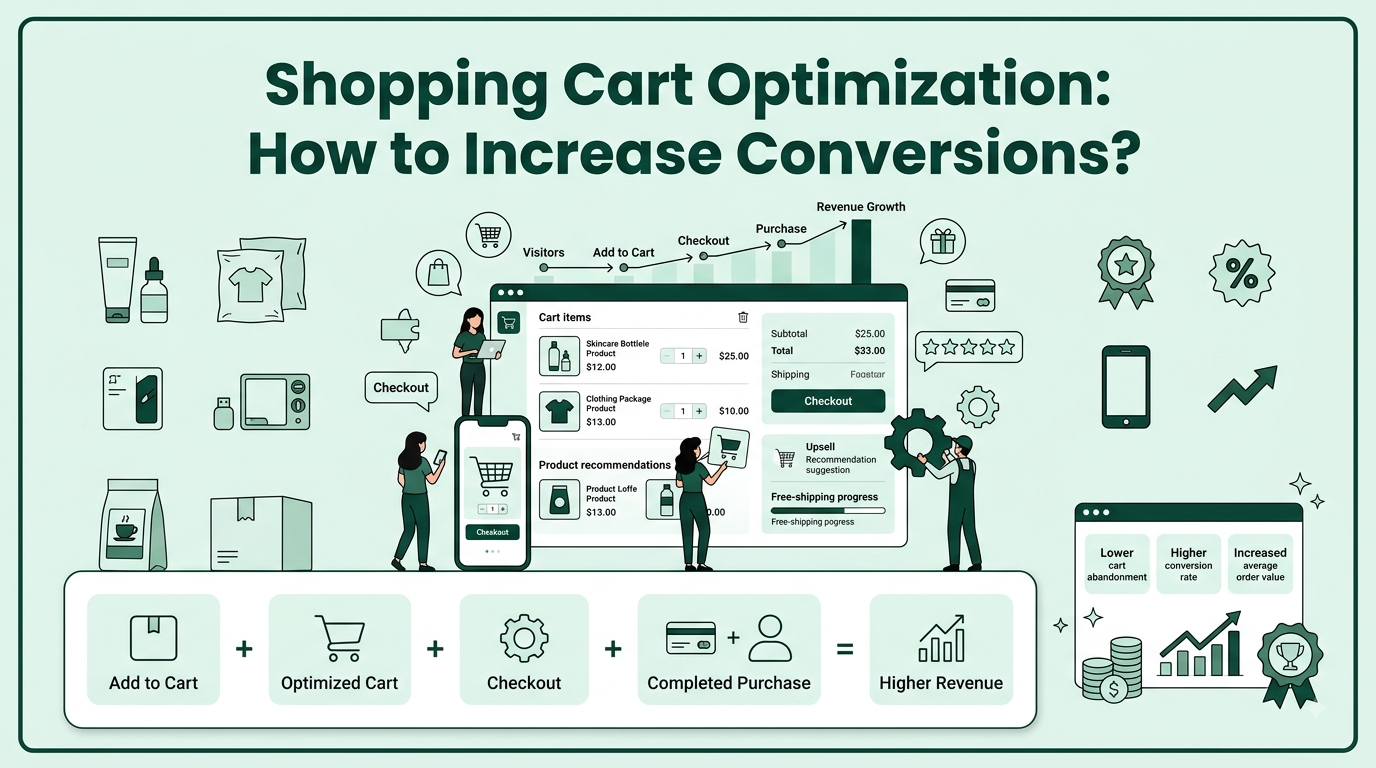
A shopper can spend several minutes browsing a Shopify store, add products to their cart, and still leave without buying. For brands, these abandoned carts represent missed revenue, especially when customers have already shown strong purchase intent. According to the Baymard Institute, the latest published benchmark puts the average online shopping cart abandonment rate at 70.22%, based on 50 studies.
The reasons can range from unexpected costs and unclear delivery information to a lengthy checkout process or limited payment choices. Optimizing the cart experience can help Shopify brands address these friction points while making it easier for customers to complete their purchases.
This doesn’t always require major changes. Clear pricing, streamlined cart flows, relevant product recommendations, incentives, and well-timed offers can all contribute to a smoother path to purchase.
In this guide, you’ll learn how leading Shopify brands optimize their shopping carts, which conversion tactics are worth using, mistakes that can hurt sales, and how Kefi Commerce helps modern Shopify stores turn more carts into revenue.
Shopping cart optimisation is the process of improving the cart experience to remove friction and make purchasing easier. It covers pricing clarity, navigation, payment options, incentives, and other elements that influence purchase decisions.
Effective optimisation can increase conversion rates, reduce cart abandonment, and improve average order value (AOV). For Shopify merchants, reviewing customer behavior and cart performance can reveal where shoppers hesitate or leave, helping brands make targeted improvements that encourage more completed purchases.
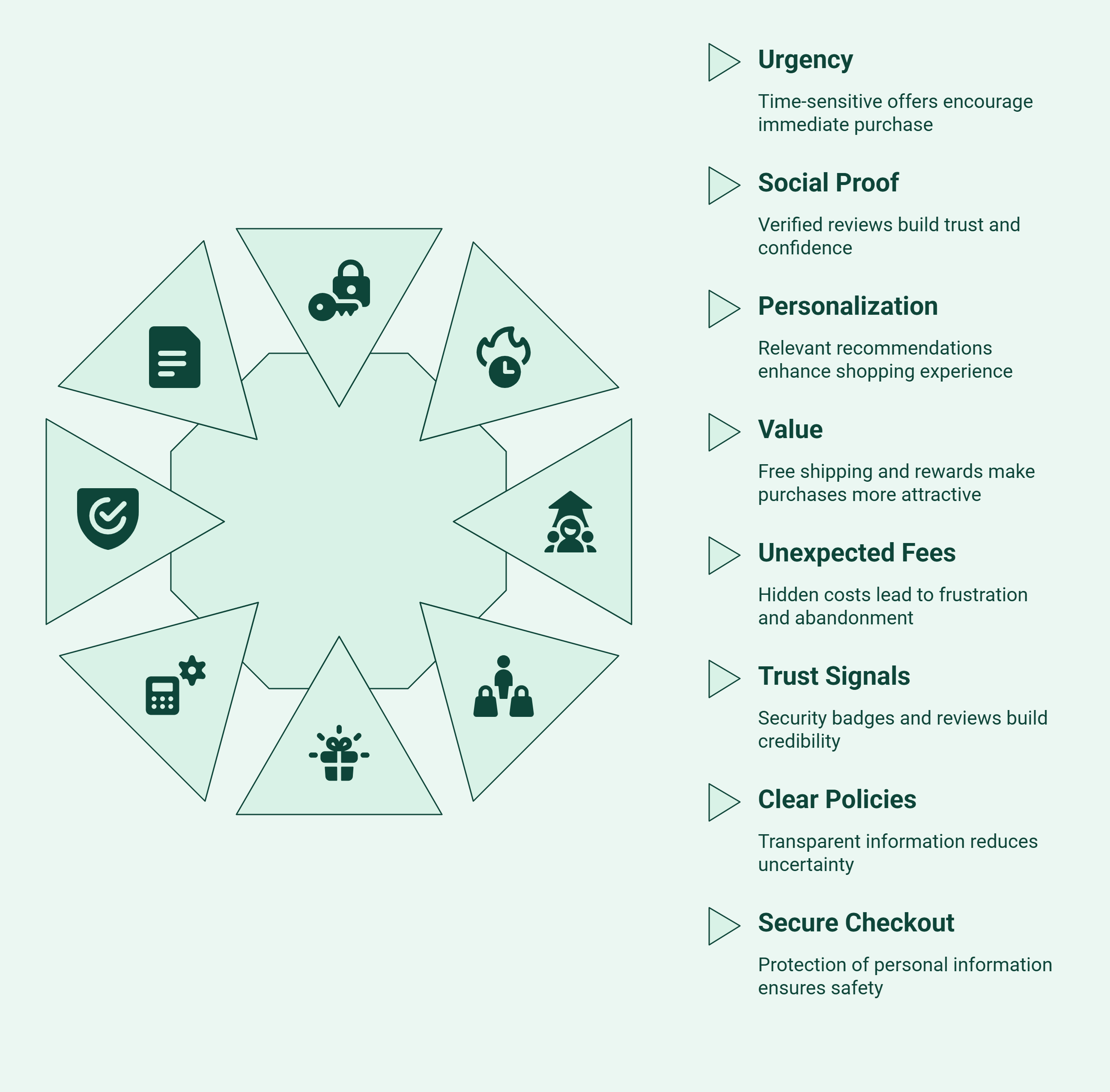
Shoppers often abandon carts when checkout feels complicated, costly, or uncertain. Additional fees, unclear shipping options, limited payment gateways, and trust concerns can create friction. Understanding these common reasons helps ecommerce businesses improve the checkout page and reduce lost sales.
Shoppers may hesitate when they are unsure about value, product fit, or whether to buy now. The right signals can reduce that hesitation without creating unnecessary pressure.
These triggers work best when they support an informed purchase decision rather than pressure shoppers into buying.
Trust and price clarity can remove two common sources of purchase hesitation. Show the full cost early, make payment security visible, and provide clear policies so shoppers know what to expect.
Clear pricing and visible trust signals make the final purchase decision easier and more predictable.
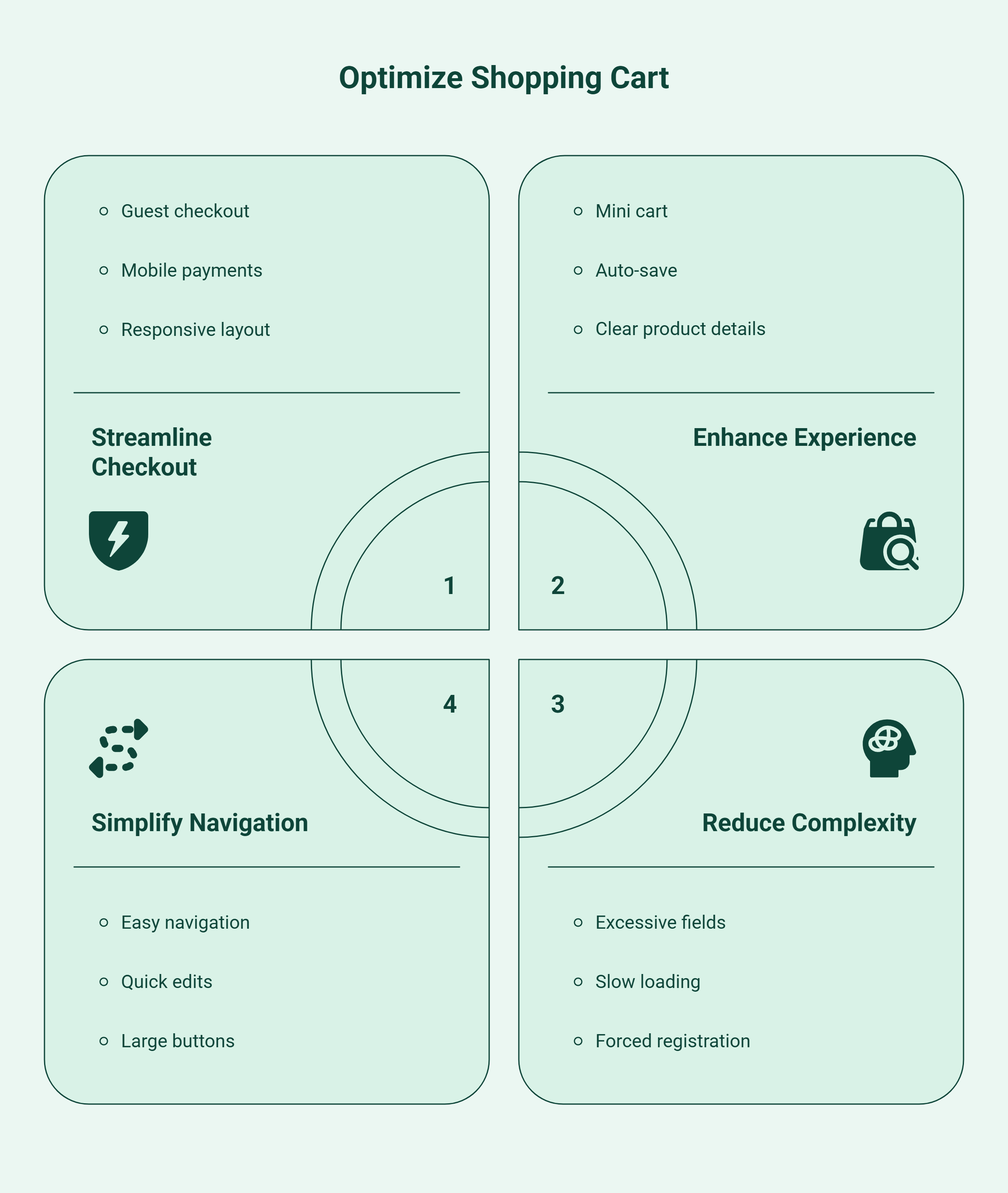
To optimize shopping cart functionality, brands should remove friction throughout the checkout experience on their ecommerce store. Following shopping cart best practices, such as guest checkout, simple navigation, mobile optimization, saved carts, and flexible payment options, can reduce abandonment and increase completed purchases.
Guest checkout lets shoppers complete purchases without creating an account. This removes unnecessary steps and speeds up the customer journey, especially for new customers.
Offering guest checkout can make purchasing easier while allowing brands to build customer relationships after the sale.
A well-designed mini cart gives shoppers quick access to selected products without leaving the page. Auto-save and simple navigation help customers continue shopping without having to repeat earlier actions.
These features create a smoother customer journey and reduce unnecessary interruptions during shopping.
Mobile shoppers need a cart that loads quickly, fits smaller screens, and keeps important actions easy to find. A mobile-optimized shopping cart should make reviewing products, entering details, and paying simple.
Regular mobile A/B testing can help brands identify friction points and improve cart conversions.
Top Shopify brands focus on reducing friction, making costs clear, and giving shoppers confidence at checkout. Real-world examples show how simple cart improvements can make the path to purchase easier and more conversion-focused.
Social proof works best near the point where shoppers make their purchase decision. Reviews, ratings, and customer feedback can address hesitation and reinforce confidence without distracting from the checkout process.
Example: Forbes reports that 85% of U.S. customers say ratings and reviews help them decide whether to purchase. This supports placing relevant review signals close to purchase decisions, where they can help reduce hesitation.
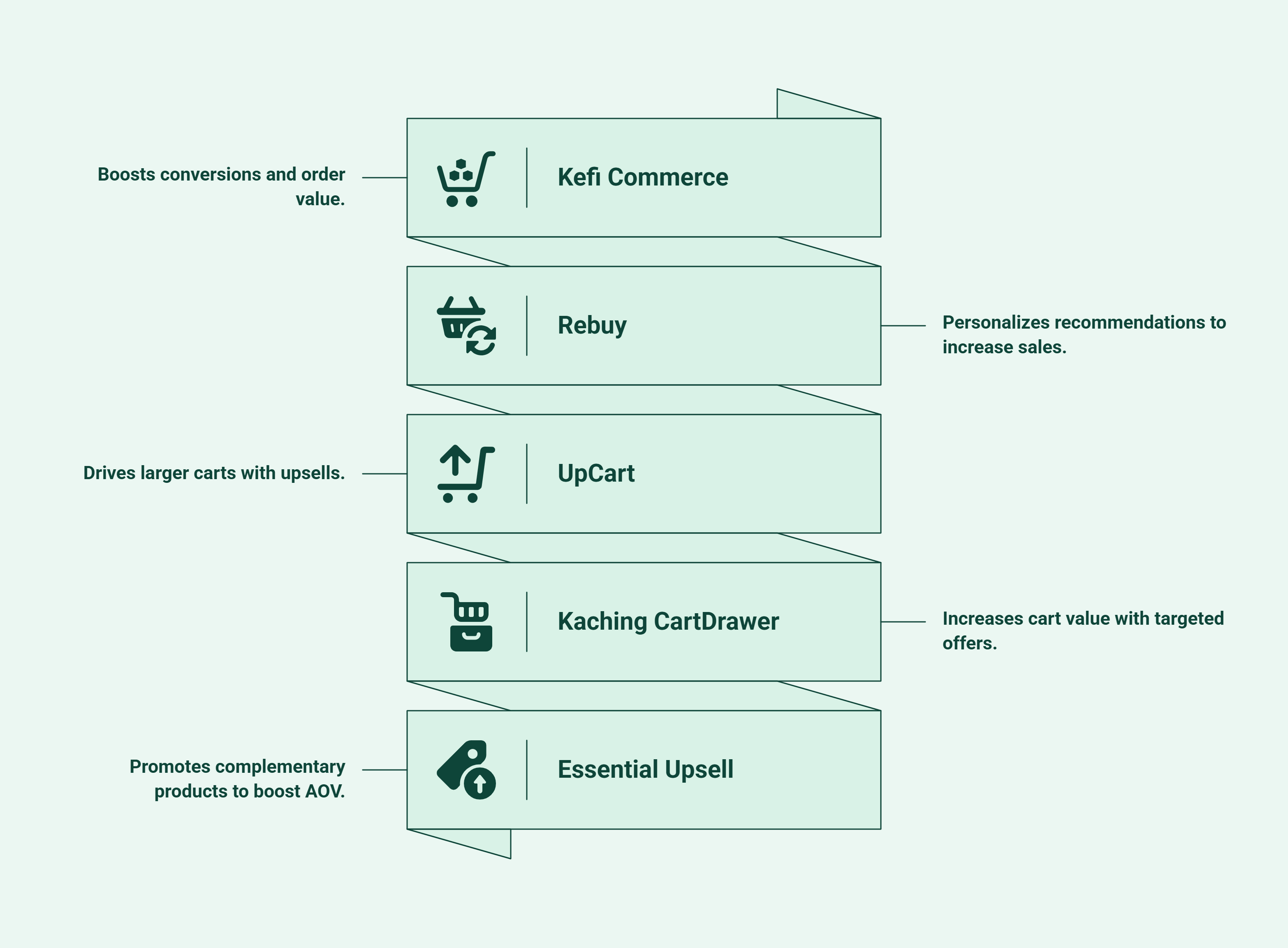
The best tools for shopping cart optimisation should help merchants reduce friction, improve cart engagement, and increase revenue. The following platforms are relevant to Shopify stores, with different strengths across cart customisation, recommendations, upsells, and bundles.
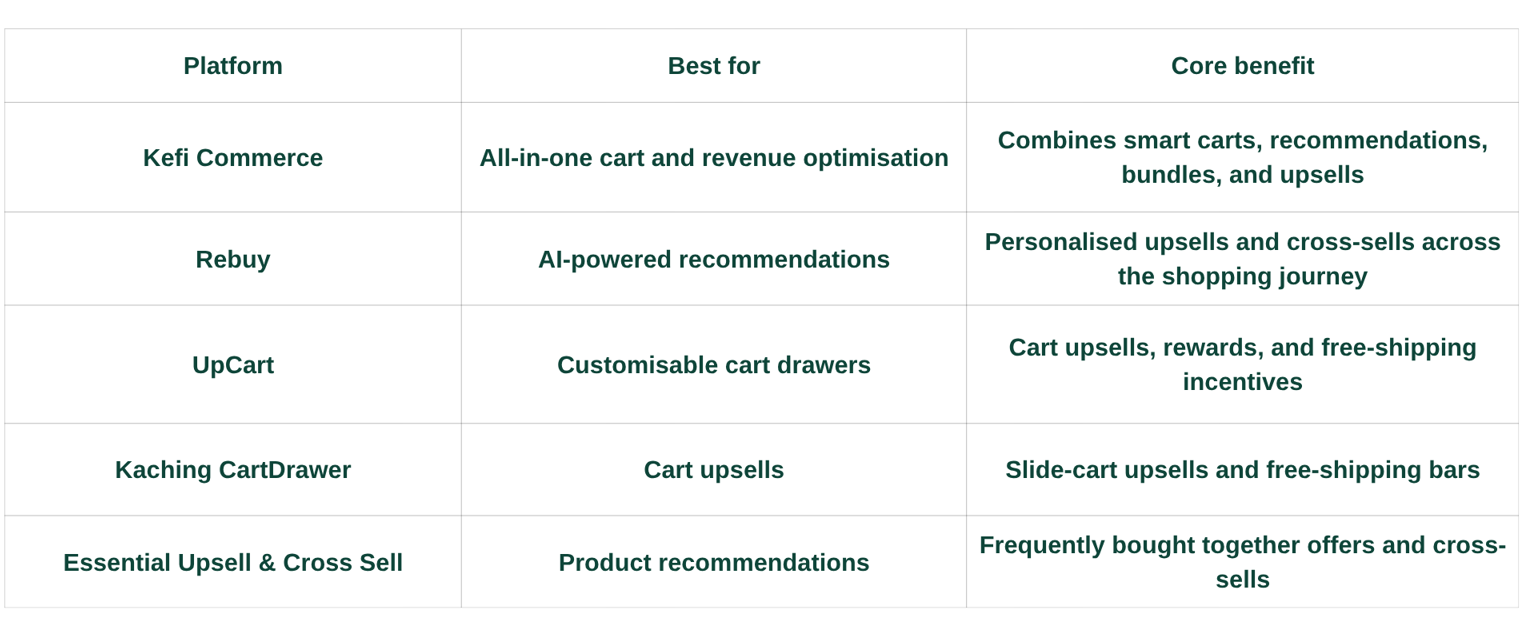
Kefi Commerce is an all-in-one revenue platform built specifically for Shopify stores. Its cart-focused tools include a customisable slide cart, AI-powered recommendations based on store data and customer behavior, product add-ons, bundles, volume discounts, and frequently bought together offers. It also supports post-purchase and thank-you-page upsells, giving merchants multiple opportunities to increase revenue.
Why choose: Choose Kefi when you want one platform covering cart optimisation, personalisation, upselling, bundles, discounts, and loyalty.
Benefit: Helps Shopify merchants increase conversions and average order value from a unified revenue platform.
Rebuy is an AI-powered personalisation platform that helps ecommerce brands create product recommendations, upsells, cross-sells, and bundles. It can personalise offers across different stages of the shopping journey, including product pages, carts, checkout, and post-purchase experiences. Its tools are focused on helping merchants make product discovery and purchasing more relevant.
Why choose: Choose Rebuy if personalised product recommendations and AI-powered upselling are your primary conversion goals.
Benefit: Increases relevant product discovery and creates opportunities to grow order value.
UpCart provides customisable cart drawer functionality for Shopify stores. Merchants can add upsells, cross-sells, rewards, progress bars, and other promotional elements directly inside the cart. It focuses on improving the cart experience while giving brands more opportunities to encourage additional purchases before customers reach checkout.
Why choose: Choose UpCart when you need a customisable cart drawer focused on upsells and cross-sells.
Benefit: Creates more engaging carts while encouraging shoppers to add complementary products.
Kaching CartDrawer focuses on improving the Shopify cart with slide-cart upsells, free-shipping bars, and other AOV-focused features. It is a more specialised option for merchants looking to add promotional elements directly to the cart rather than manage a wider revenue optimisation platform.
Why choose: Choose Kaching when your priority is a focused cart drawer with upsells and free-shipping incentives.
Benefit: Encourages shoppers to add more products before moving from cart to checkout.
Essential Upsell & Cross Sell focuses on frequently bought together recommendations, upsells, and cross-sells. It is designed for Shopify merchants that want to surface complementary products and increase AOV without adopting a broader cart optimisation platform. Shopify currently lists it as a Built for Shopify app.
Why choose: Choose Essential when your main goal is adding product recommendations and cross-sells to increase order value.
Benefit: Makes relevant complementary products easier for shoppers to discover before completing their purchase.
The right ecommerce shopping cart solution depends on your specific goal. If you need a focused cart drawer, specialised tools can work well. If you want cart optimisation alongside bundles, recommendations, and upsells, an all-in-one platform such as Kefi can reduce the need to manage multiple apps.
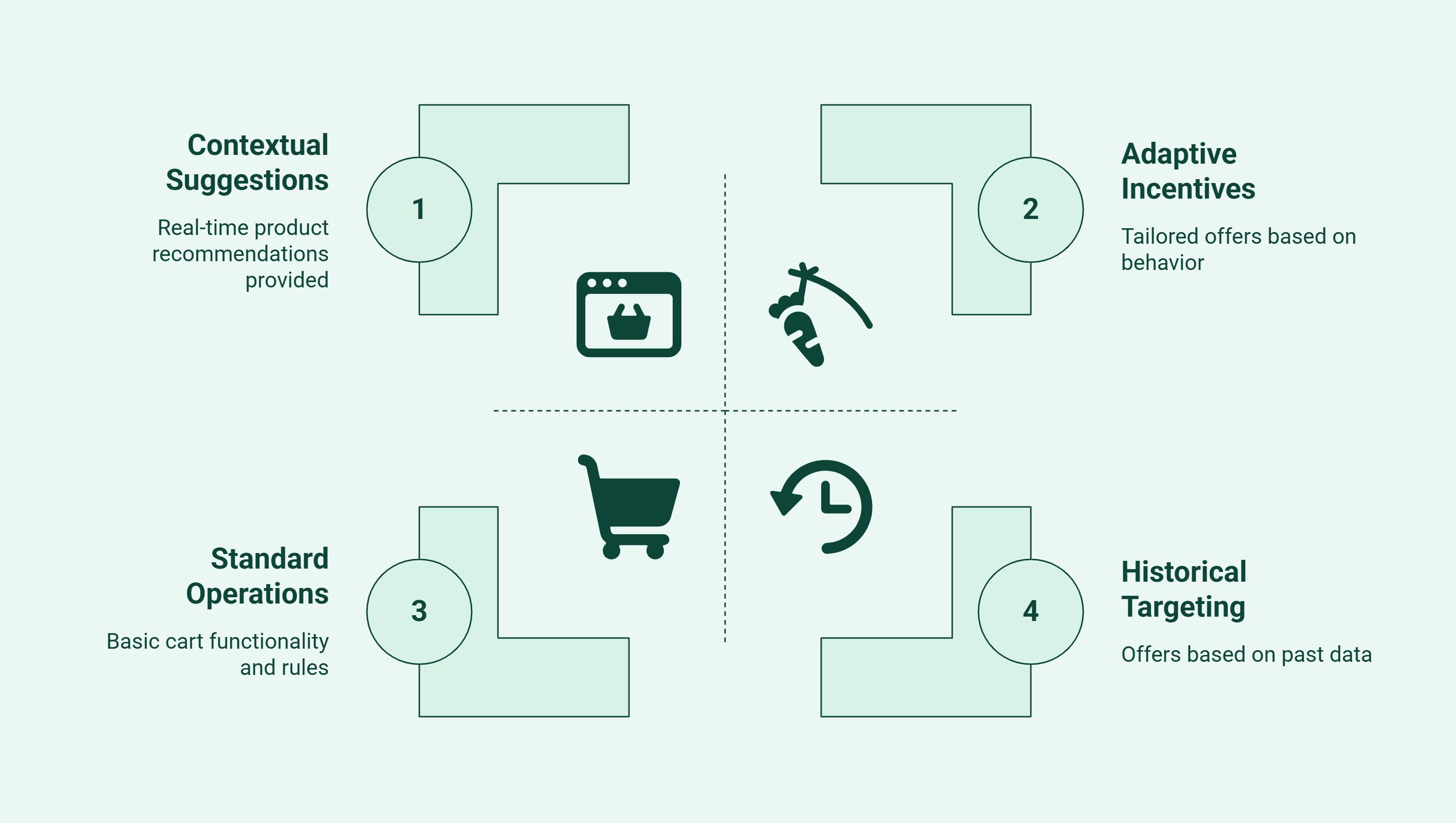
AI-powered smart carts can make cart experiences more relevant by using product and shopper data. Instead of showing identical offers to every shopper, they can tailor recommendations and incentives based on cart contents and customer intent.
These applications can make cart optimisation more relevant while giving merchants practical ways to increase conversions and average order value.
Re-optimise your cart when performance starts to change, or shoppers face new friction. Watch these indicators:
These signals show when your current cart experience may need testing and improvement.
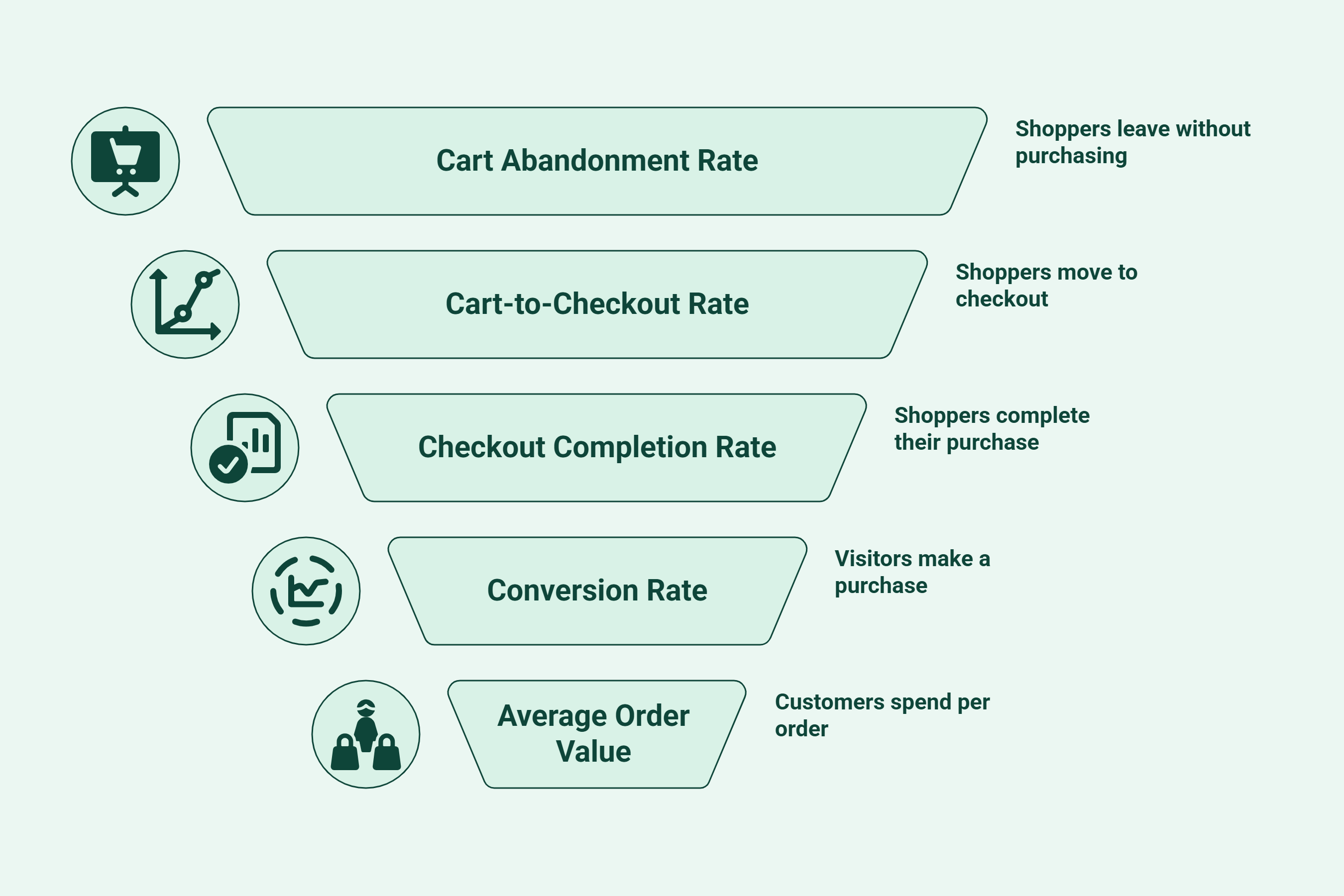
Measuring shopping cart optimization helps you understand whether changes are improving conversions and revenue. Track these key metrics before and after making changes:
Review these metrics regularly to identify weak points, prioritize improvements, and measure whether each optimization is actually driving better performance.
Kefi Commerce helps Shopify merchants optimise their shopping carts from one Shopify-native revenue platform, making it easier to improve the cart experience, increase conversions, and grow average order value without managing multiple apps.
With Kefi Commerce, Shopify merchants can:
Whether you're a growing Shopify store or an established ecommerce brand, Kefi Commerce helps turn more shopping sessions into completed purchases while increasing the value of every order.
Looking to unlock more value from every cart? Start your free Kefi Commerce trial and optimise your Shopify cart with personalised offers, upsells, and recommendations that encourage shoppers to buy more.
Start by reviewing where shoppers drop off in your cart and checkout. Look at cart abandonment, mobile performance, unexpected costs, payment options, and checkout steps to identify where customers may be losing interest or facing friction.
Prioritize the issues that are most likely to affect conversions. If mobile shoppers are leaving more often, improve the mobile cart first. If customers drop off after seeing delivery costs, make shipping fees and the total price clear earlier in the shopping journey.
Then, test one change at a time. Try guest checkout, a simpler cart layout, relevant product recommendations, free shipping incentives, or clearer calls to action. Avoid changing several elements at once, as this makes results harder to understand.
Finally, measure the impact using conversion rate, cart abandonment rate, and average order value. Keep the changes that improve performance and continue testing areas where shoppers still face friction.
The top features include a simple checkout process, strong user experience, clear pricing, guest checkout, and flexible payment options. Mobile-friendly design, order summaries, and trust signals also help. Together, these features improve conversion rates by reducing hesitation and lowering cart abandonment during the final steps.
Mobile optimization improves user experience by making the cart easier to use on mobile devices. When forms, buttons, and payment actions work smoothly on small screens, shoppers are less likely to leave. That lowers abandonment rates and supports better conversion rates across the checkout flow.
Keep the checkout process short, make the shopping cart page easy to scan, and show full costs early. Add guest checkout, offer trusted payment methods, and consider adding live chat to assist customers during the process, making edits simple. These quick changes improve user experience, strengthen the shopping experience, and can lift conversion rates faster.
The best shopping cart software depends on your store’s needs. Kefi Commerce is a strong option for Shopify merchants because it combines smart carts, upsells, recommendations, bundles, discounts, and loyalty tools in one platform.
Improve product pages with clear product details, strong calls to action, reviews, competitive pricing, and relevant recommendations. Test different layouts and offers to identify what encourages more visitors to add products.
Start by improving site speed, mobile navigation, product pages, cart functionality, and checkout. Leverage visible security measures and use analytics and A/B testing to identify friction points, then test changes that make shopping faster and easier.
Look for reviews that mention cart customization, ease of use, mobile performance, upsells, integrations, support, and conversion results. Compare recurring feedback across recent reviews rather than relying on individual ratings or testimonials.
.svg)
