

Now, lets deep dive into this!
Ever wondered why shoppers visit a Shopify product page, browse for a few seconds, and still leave without buying? For many e-commerce brands, the issue is not the product itself. It is the experience around it.
With rising customer acquisition costs and increasing conversion pressure, Shopify merchants are paying far more attention to conversion rate optimization (CRO), mobile shopping experience, and customer retention than before. Even small issues like weak trust signals, poor product layouts, slow-loading pages, limited product options, or missing reviews can quietly reduce conversions across an online store.
That is exactly why the best Shopify apps for product page optimization have become essential for modern e-commerce growth. The right apps help improve customer experience, build trust faster, support personalization, increase average order value, and make product pages easier to shop without rebuilding your entire store.
In this guide, we will explore the best Shopify product page apps for reviews, bundles, subscriptions, upsells, customization, and loyalty.
A Shopify product page app adds conversion-focused functionality directly to product pages to improve customer experience, trust, and buying decisions. Instead of relying only on default Shopify layouts, merchants use these apps to improve reviews, upsells, bundles, subscriptions, personalization, and customer engagement without rebuilding the entire online store.
With rising acquisition costs and growing conversion pressure across e-commerce, Shopify merchants are focusing more heavily on optimizing product pages for both desktop and mobile shopping. The best Shopify product page apps help improve usability, increase average order value, strengthen trust signals, and support faster purchase decisions without making the shopping experience feel cluttered or overwhelming.
The best Shopify apps for product page optimization solve different conversion problems. Some apps help build trust, others improve product customization, while some focus on upselling, customer support, subscriptions, or customer retention. The right combination depends on your store goals, customer behavior, and the overall shopping experience you want to create.

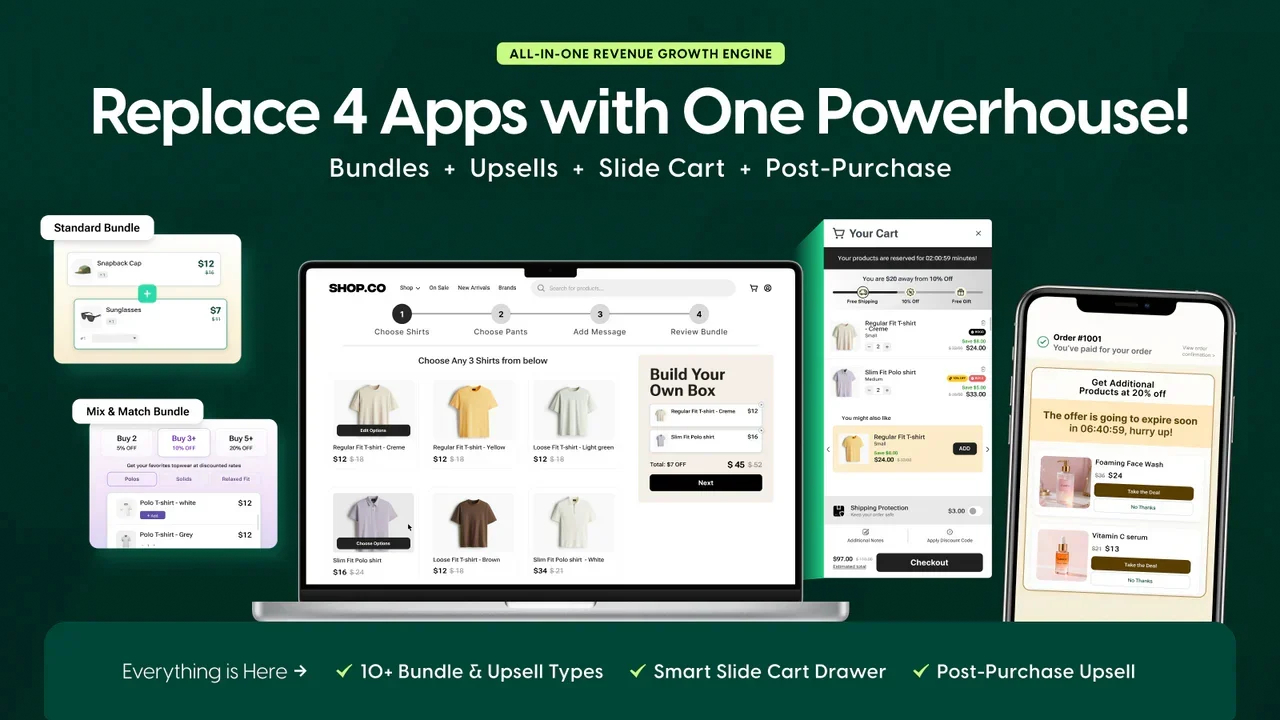
Source: Kefi Commerce Product Bundle Builder
Most Shopify product pages are designed to secure the first sale. Kefi Commerce focuses on helping merchants turn those first-time buyers into repeat customers through loyalty-driven experiences.
Instead of relying only on discounts, Kefi Commerce helps brands build stronger customer relationships through rewards, referrals, and VIP incentives that encourage shoppers to return.
Kefi Commerce includes several features designed for retention-focused Shopify merchants:
These features help Shopify merchants improve repeat purchases without adding unnecessary complexity to the shopping experience.
Kefi Commerce works especially well for:
Kefi Commerce is a strong option for Shopify brands prioritizing customer retention and long-term revenue growth. Combining rewards, referrals, customer segmentation, and VIP programs inside one platform reduces dependency on multiple retention apps.
Kefi Commerce offers flexible pricing based on Shopify order volume and store size while providing access to the same core features across plans. Every plan includes AI product bundles, upsells, BOGO offers, quantity breaks, slide cart upsells, post-purchase upsells, and 24x7 support.
Order Volume Pricing
Shopify Plan-Based Pricing
Kefi Commerce has received strong feedback from Shopify merchants for improving average order value, simplifying bundle creation, and supporting smoother upsell experiences. Many merchants highlight how the app blends naturally into Shopify themes while helping increase conversions through mix-and-match bundles, cart upsells, and personalized product flows.
Several merchants also praised Kefi Commerce’s responsive support team and flexible customization support, especially when adapting bundle builders to match specific store designs and shopping experiences.
“The team at Kefi Commerce are amazing to deal with. Any design, layout, functional issue I encountered with getting the bundle builder to fit seamlessly with my theme was handled with speed and accuracy.” - Avid Darts, Australia
“Kefi bundles helped us launch ready-to-wear sets styled by our in-house team. Customers loved the ease of shopping full looks while we saw a lift in average order value.” - White By Dinaaz, India
“With the cart upsells feature, we now show travel sprays or gift wraps right in the slide cart. It feels curated and helps increase order size without being pushy.” - Aurignals, India
“The multi-step builder allows customers to mix and match serums, oils, and masks effortlessly.” -Reshma Beauty, United States
Merchants across fashion, beauty, wellness, gifting, and lifestyle categories have also highlighted Kefi Commerce’s intuitive interface, customizable bundle flows, and strong impact on engagement and repeat purchases.
If you want to increase average order value, create better bundle experiences, and improve customer retention without adding unnecessary complexity, Kefi Commerce is worth exploring.
Try Kefi Commerce free or book a demo to see how loyalty rewards, bundles, upsells, and personalized shopping experiences can improve your Shopify store.
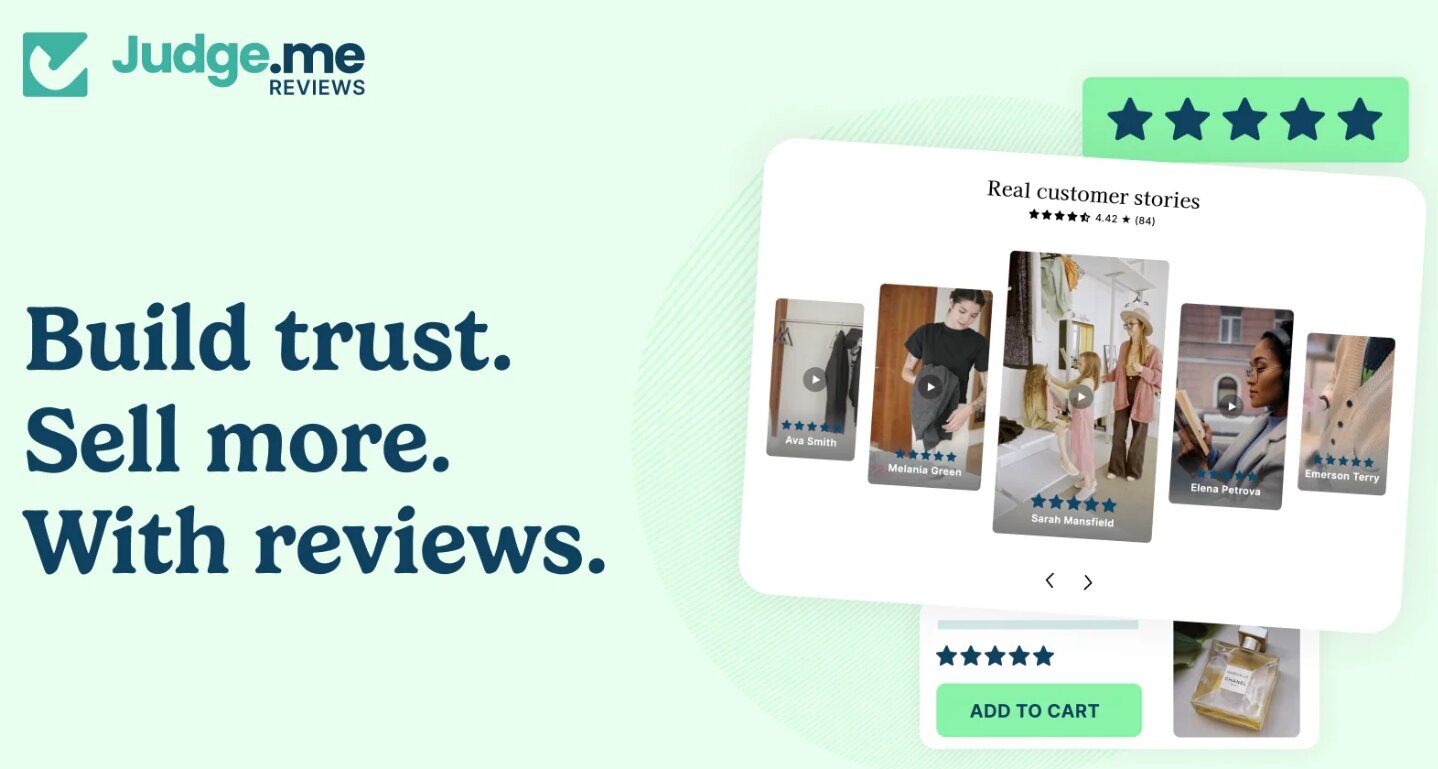
Source: Judge.me
Customer reviews still play a major role in e-commerce conversions. Many shoppers will check reviews before even considering adding a product to their cart, especially when buying from a brand for the first time.
Judge.me helps Shopify merchants collect and display reviews directly on product pages, making it easier to build trust and social proof.
Key features include:
The app also integrates smoothly with most Shopify themes without heavily affecting page speed.
Judge.me works well for:
One reason Judge.me remains popular is its balance between functionality and simplicity. The app improves trust without creating a complicated setup process, which makes it especially useful for growing Shopify merchants.
Judge.me offers a free plan along with paid plans starting at approximately $15/month for advanced customization, integrations, and review automation features.
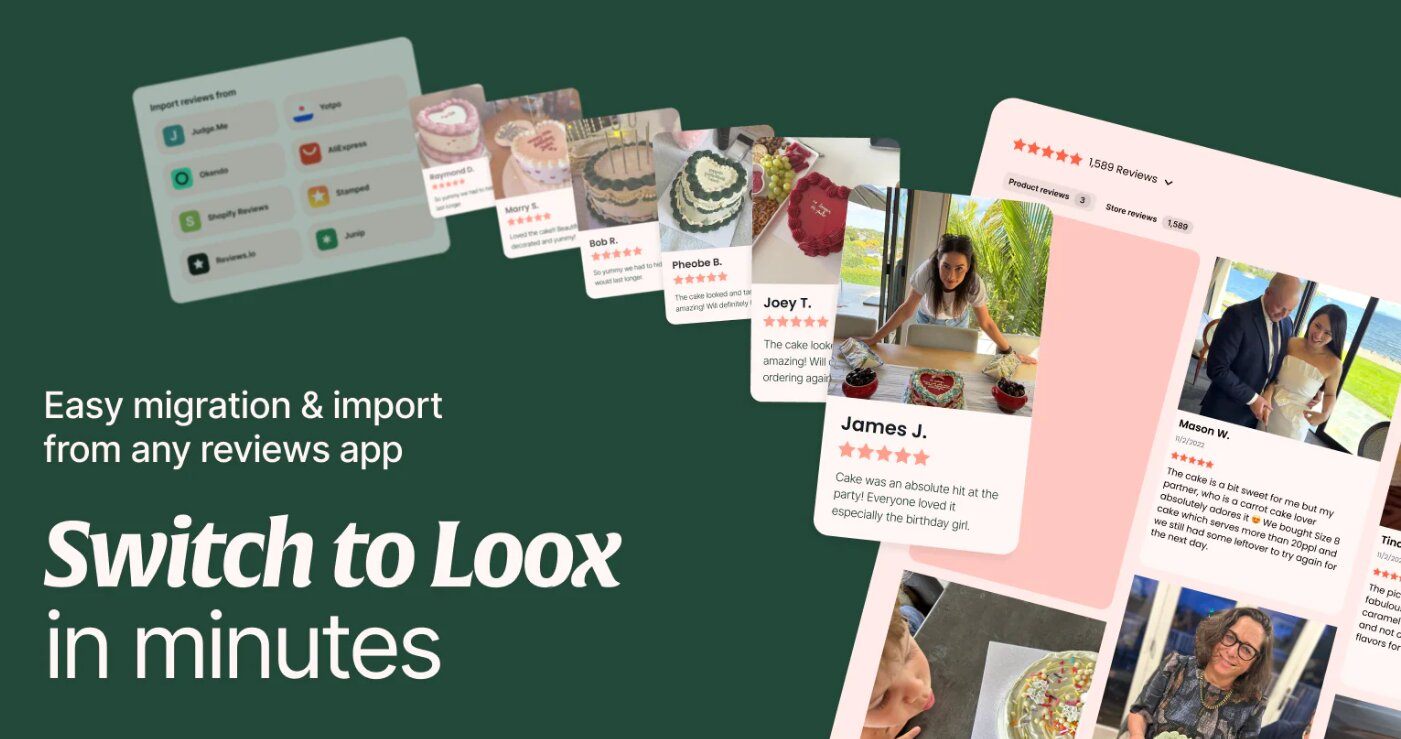
Source: Loox
Loox focuses heavily on visual user-generated content through customer photos and video reviews. Instead of relying solely on written testimonials, the app lets shoppers see products in real-world settings.
This works especially well for visually driven industries where product appearance strongly influences buying decisions.
Key features include:
The app also supports customizable review displays that blend naturally into your store’s design.
Loox works especially well for:
Visual reviews often improve customer confidence faster than text alone. Loox helps stores create a more authentic shopping experience while improving trust and product presentation.
Loox offers paid plans starting at approximately $12.99/month, with higher tiers supporting larger review volumes, advanced integrations, and visual review features.

Source: Pagefly.io
PageFly helps Shopify merchants customize product page layouts without relying heavily on developers. Instead of being limited to default Shopify sections, merchants can create more conversion-focused product pages using drag-and-drop editing and flexible design blocks.
The platform is especially useful for brands wanting more layout control beyond Shopify’s default customization capabilities.
Key features include:
These customization options give merchants more control over design elements and product page structure.
PageFly works best for:
PageFly is useful for merchants needing more flexibility than standard Shopify themes provide. However, stores already using Shopify Online Store 2.0 themes may find some layout features overlapping with native Shopify functionality.
Like many visual builders, excessive widgets and complex layouts can also create performance concerns, including heavier script loading, render-blocking elements, and slower Core Web Vitals performance if pages are not optimized carefully.
PageFly includes a free plan for smaller stores, while paid plans start at approximately $24/month for additional publishing slots and advanced customization features.
Source: Recharge.com
Recharge helps Shopify merchants create subscription-based product experiences directly within their online store. This is especially useful for businesses selling repeat-purchase or consumable products.
Key features include:
The platform helps merchants simplify recurring revenue management while improving customer retention.
Recharge works especially well for:
Recharge is one of the most recognized subscription-focused Shopify apps because it simplifies recurring revenue management while improving long-term customer retention.
Recharge uses custom subscription-based pricing depending on subscription volume and store requirements. Merchants can request pricing directly through Recharge.

Source: Tidio
Sometimes shoppers only need a quick answer before purchasing. Tidio helps merchants improve customer support directly on product pages through live chat and AI chatbot functionality.
This creates a smoother customer experience while helping reduce purchase hesitation.
Tidio focuses heavily on real-time customer engagement and automated support workflows.
Key features include:
The platform also supports customer support automation without heavily increasing operational complexity.
Tidio works especially well for:
Tidio helps Shopify merchants improve customer communication through live chat and AI chatbot support directly on product pages. Faster responses can reduce purchase hesitation and improve conversions, especially for stores handling frequent customer questions.
However, excessive chat prompts, aggressive popups, or poorly timed chatbot triggers can sometimes hurt user experience and distract shoppers during the buying journey. The best setup usually keeps chat support visible without making the product page feel intrusive or cluttered.
Tidio offers a free plan for basic live chat functionality, while premium plans for AI automation and advanced support workflows start at approximately $29/month.
The best Shopify product page apps should improve customer experience, simplify buying decisions, and support conversions without overwhelming your online store with unnecessary functionality.
Looking to increase average order value alongside product page optimization? Explore our guide to the best bundle apps for Shopify and discover how bundles, upsells, and mix-and-match offers can help boost conversions naturally.
Before installing another Shopify app, ask one simple question: Is this app improving conversions, or just adding more clutter? Many Shopify stores slow down because of unnecessary widgets, app conflicts, render-blocking scripts, and overlapping features that hurt usability instead of improving it.
Here is what actually matters.
Every app should solve one specific conversion problem. Some apps improve trust through reviews, while others focus on upsells, subscriptions, or product customization.
Installing multiple apps with overlapping functionality often creates app conflicts, heavier script weight, slower rendering, and unnecessary JavaScript injection. Over time, this can affect Core Web Vitals, CLS issues, and overall customer experience.
Most e-commerce traffic now comes from mobile devices, so responsive design is essential. Product page apps should load smoothly across different screen sizes without breaking layouts, slowing navigation, or disrupting the mobile shopping experience.
Heavy apps can hurt both conversions and search visibility. The best Shopify product page apps use lightweight scripts, lazy-loaded widgets, and minimal JavaScript injection to reduce render-blocking issues.
They should also work cleanly with Shopify themes while protecting Core Web Vitals performance and overall page speed.
Good apps should match your store design without requiring advanced development work. Features like live preview, drag-and-drop editing, flexible layouts, and Shopify theme compatibility help merchants customize product pages more efficiently.
Strong customer support becomes important when managing advanced features or troubleshooting app conflicts. Responsive live chat, onboarding help, and active support teams can reduce setup time and improve long-term usability significantly.
Too many apps performing similar functions can create cluttered product pages, slower loading times, and inconsistent customer experiences. Instead of stacking apps, focus on fewer tools that solve clear problems without overlapping functionality.
The best Shopify product page apps should improve usability, conversions, and customer experience without slowing down your online store.
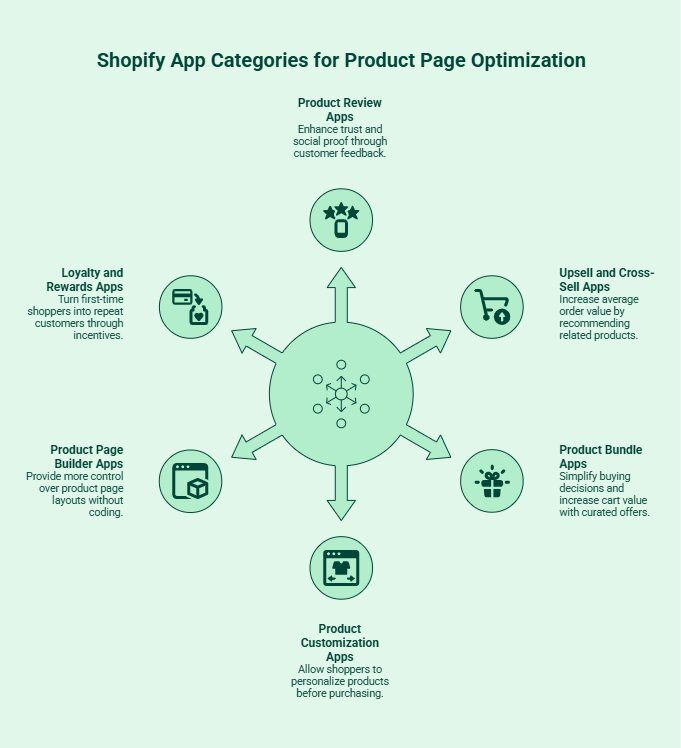
Not every Shopify app solves the same problem. Some apps help build trust, while others focus on upselling, personalization, or customer retention. Choosing the right app category first makes it much easier to improve your product pages without overcrowding them.
Review apps help shoppers feel more confident before buying. Instead of relying only on product descriptions, customers can see real experiences from other buyers.
Popular features usually include:
These apps work especially well for products where trust and social proof influence buying decisions.
Upsell apps help increase average order value by recommending related products directly on the product page.
Common examples include:
This works best for stores selling complementary products.
Bundle apps make it easier to group products into curated offers, quantity discounts, or mix-and-match promotions.
Popular bundle examples include:
These apps help simplify buying decisions while increasing cart value.
Product customization apps allow shoppers to personalize products before purchasing.
Many tools support:
This is especially useful for customizable products, gifts, fashion, and home decor.
Page builder apps give store owners more control over product page layouts without needing advanced coding skills.
Most tools now include:
These apps are useful for stores wanting more control over their store’s design and user experience.
Loyalty apps help turn first-time shoppers into repeat customers through rewards and incentives.
Common features include:
For many Shopify merchants, improving retention becomes more valuable than constantly chasing new traffic.
There is no single “best” app category for every Shopify store. The right choice depends on the biggest conversion gap in your buying journey.
For most Shopify merchants, review apps and loyalty tools usually create the biggest long-term impact because they improve both conversions and customer retention.
Looking for more ways to grow your Shopify store beyond product page optimization? Explore our guide to the best Shopify apps to increase sales and discover tools for upselling, retention, customer engagement, and higher conversions.
The best Shopify product page apps improve conversions by reducing hesitation, simplifying decisions, and strengthening buyer confidence throughout the shopping journey. Most conversion improvements do not come from flashy features alone. They usually come from removing friction and helping customers feel more certain before checkout.
Trust plays a major role in e-commerce conversions, especially for first-time visitors. Reviews, verified purchases, trust badges, and customer photos help reduce purchase anxiety by showing real buyer experiences.
According to Spiegel Research Center, products with reviews can improve conversion rates by up to 270% compared to products without reviews. Visual reviews and user-generated content often perform even better because shoppers trust customer experiences more than brand messaging alone.
Too much information can overwhelm shoppers quickly. Product page apps help organize details through FAQs, tabs, size guides, comparison sections, and collapsible layouts that make scanning easier.
This supports a core CRO principle called cognitive fluency, where shoppers are more likely to purchase when information feels easy to process and understand.
Upsells, bundles, and product recommendations work because they introduce relevant products at the right moment instead of interrupting the shopping experience.
Apps using “frequently bought together” suggestions also apply behavioral psychology principles like anchoring and choice framing, which help larger purchases feel more valuable and logical to shoppers.
Cross-sells and personalized recommendations help customers discover relevant products they may not have searched for directly. This becomes especially useful for larger Shopify stores managing multiple categories or complex product catalogs.
According to McKinsey research, personalization strategies can improve e-commerce revenue significantly because shoppers engage more with products that feel tailored to their interests and browsing behavior.
Loyalty rewards, subscriptions, and referral tools extend engagement beyond checkout. Instead of treating every order like a one-time transaction, these apps help merchants create stronger customer habits and long-term retention loops.
This matters because repeat customers usually generate higher customer lifetime value than constantly acquiring new shoppers through paid traffic alone.
The strongest Shopify product page apps improve conversions by making buying decisions feel easier, faster, and more trustworthy without overwhelming the shopping experience.
Looking for more ways to improve sales and customer experience on Shopify? Explore our guide to the best Shopify apps for conversion optimization and discover tools that help increase conversions, improve retention, and grow your online store more effectively.
Choosing the right Shopify app is less about adding more features and more about solving the right problem. Many Shopify merchants install multiple apps too quickly, only to end up with slower pages, cluttered layouts, and a confusing customer experience.
The better approach is to start with the biggest gap in your buying journey.
Different apps solve different conversion issues. If shoppers hesitate before purchasing, review and trust-building apps usually help the most.
If the average order value feels low, consider:
And if repeat purchases are weak, loyalty rewards or subscription apps may provide more value.
Adding too many apps can slow down your online store and overwhelm shoppers with unnecessary widgets or pop-ups.
Instead of chasing every advanced feature, focus on lightweight tools that improve usability and customer experience without creating clutter.
Many Shopify apps offer:
Before upgrading, ask whether the app is solving a meaningful business problem or simply adding extra functionality you may never use.
Not every app improves performance equally across every store. Use analytics and A/B testing to measure how apps affect:
The best Shopify product page apps should support conversions naturally while keeping the shopping experience simple, fast, and easy to navigate.
The goal is not to build the most feature-heavy product page. It is creating a smoother shopping experience that helps customers buy with less hesitation and more confidence.
Adding more apps does not always improve conversions. In many cases, Shopify stores create slower pages and cluttered shopping experiences by installing too many tools without a clear purpose. The goal should be improving usability, not overwhelming shoppers with unnecessary functionality.
One of the most common mistakes Shopify merchants make is installing apps without understanding the actual conversion problem they need to solve. Every app should improve a specific part of the customer journey, whether that is trust, upselling, product customization, or customer support.
Random app installations usually create clutter instead of improving conversions.
Heavy product page apps can slow down your online store significantly, especially on mobile devices. Slow-loading pages often increase bounce rates and hurt both customer experience and search engine visibility.
Instead of chasing advanced features immediately, focus on lightweight apps that balance functionality with performance.
Too many popups, banners, sliders, countdown timers, and recommendation widgets can make product pages feel overwhelming. Shoppers should focus on the product itself, not struggle to navigate through excessive design elements and distractions.
Cleaner layouts usually create a better shopping experience and stronger conversion rates.
Most Shopify traffic now comes from mobile users, which means product page apps must work smoothly across smaller screens. Apps that break layouts, slow down mobile loading times, or create poor usability often hurt conversions more than they help.
Responsive design should always be a priority.
Advanced functionality is not always necessary for improving conversions. In many cases, simpler product pages perform better because they feel easier to navigate, faster to load, and less overwhelming for shoppers.
The best Shopify product page apps should improve customer experience naturally while keeping the buying journey simple and intuitive.
A cleaner and faster product page usually performs better than one overloaded with unnecessary features. Focus on apps that genuinely improve the shopping experience and support your store goals.
The best Shopify apps for product page optimization should make shopping easier, faster, and more trustworthy for your customers. Whether you are improving reviews, upsells, subscriptions, product customization, or customer support, the right apps can help increase conversions without overwhelming your online store.
Start by identifying the biggest friction points in your buying journey, then choose lightweight tools that solve those problems clearly. The highest-converting Shopify stores are usually not the ones using the most apps. They are the ones using the right apps strategically to reduce hesitation, improve customer experience, and turn more visitors into long-term customers.
The best Shopify product page apps depend on your store goals. Some apps improve trust through reviews, while others focus on upselling, subscriptions, product customization, customer support, or loyalty rewards to improve conversions and customer experience.
Apps for reviews, bundles, upsells, live chat, and loyalty rewards often improve conversion rates by reducing customer hesitation and making product pages easier to navigate and shop.
Yes. Many Shopify apps offer free plans or free versions with limited functionality. These are often useful for smaller stores testing product page improvements before upgrading to premium plans.
Some feature-heavy apps can affect loading speed, especially on mobile devices. Lightweight apps with optimized responsive design usually provide better performance without hurting user experience or conversions.
Most modern Shopify apps support popular Shopify themes, but compatibility can still vary depending on theme customization and app functionality. Testing apps before fully launching them is always recommended.
Product options usually include basic selections like size or color. Product customization allows shoppers to personalize products further using text fields, color swatches, uploads, dynamic pricing, or conditional logic.
Product page apps improve customer experience by organizing information more clearly, adding trust signals, simplifying navigation, supporting personalization, and helping shoppers make faster and more confident buying decisions.
.svg)
