Kefi has introduced a significantly enhanced Analytics section designed to give merchants a clear and comprehensive view of how bundles, upsells, and post-purchase offers perform across the store.
What was previously a limited analytics view has now been expanded into a fully functional analytics dashboard, enabling deeper insights into revenue, orders, and customer behavior across all Kefi-powered touchpoints.
This guide explains each section of the new Analytics experience and how to use it effectively.
The new Analytics section offers:
Note on data accuracy
Kefi has upgraded how analytics data is collected and stored. As a result, some historical metrics (such as views or clicks for older offers) may be missing or differ from previous reports. Data from 20 December 2025 onward is collected using the updated system and should be considered the most accurate.
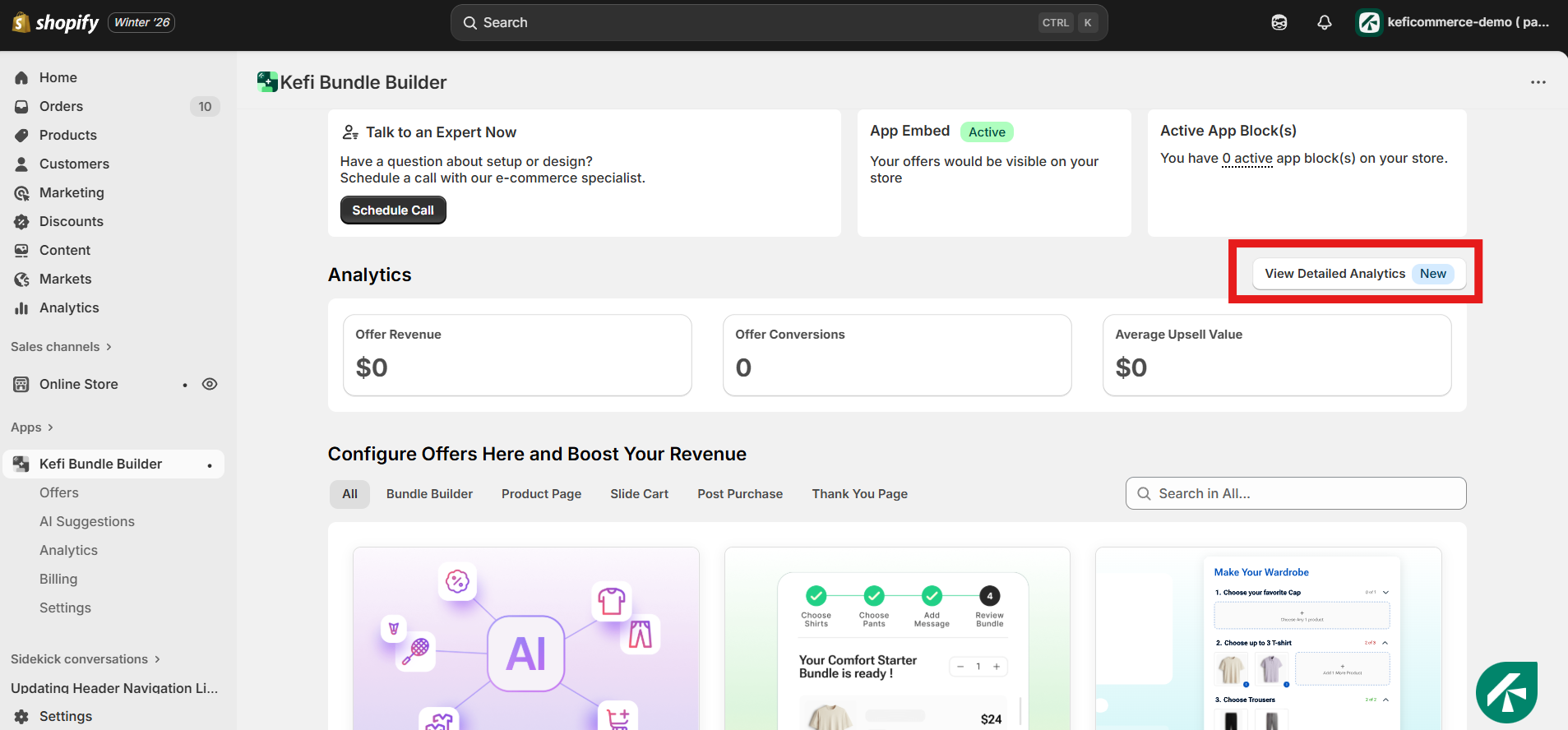
You can access the Analytics section directly from your Kefi Bundle Builder dashboard by navigating to:
Kefi App → Analytics
The Summary tab provides a consolidated overview of all Kefi-driven revenue and orders across your store.
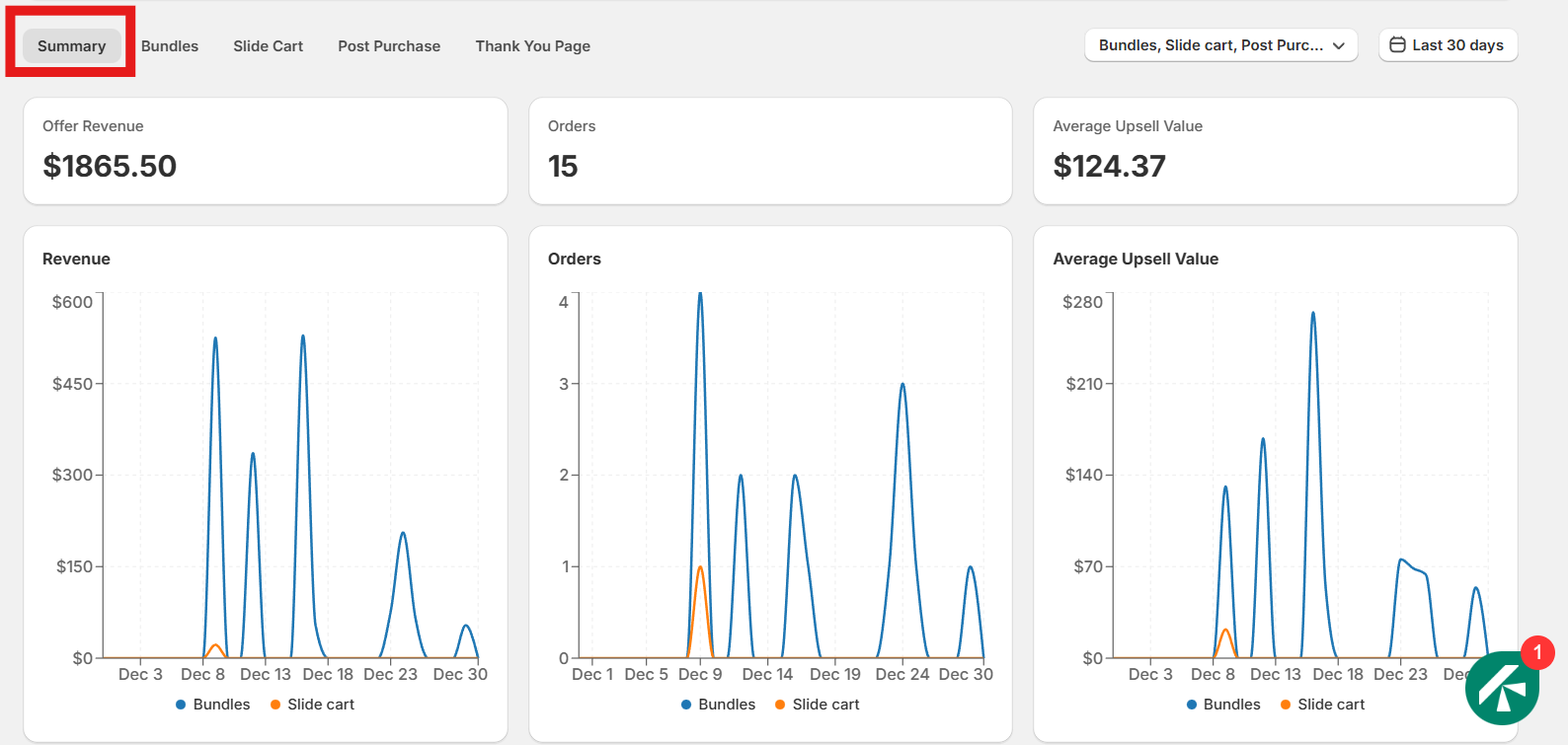
This section combines data from:
The Summary tab is best used to understand the overall revenue impact of Kefi on your store.
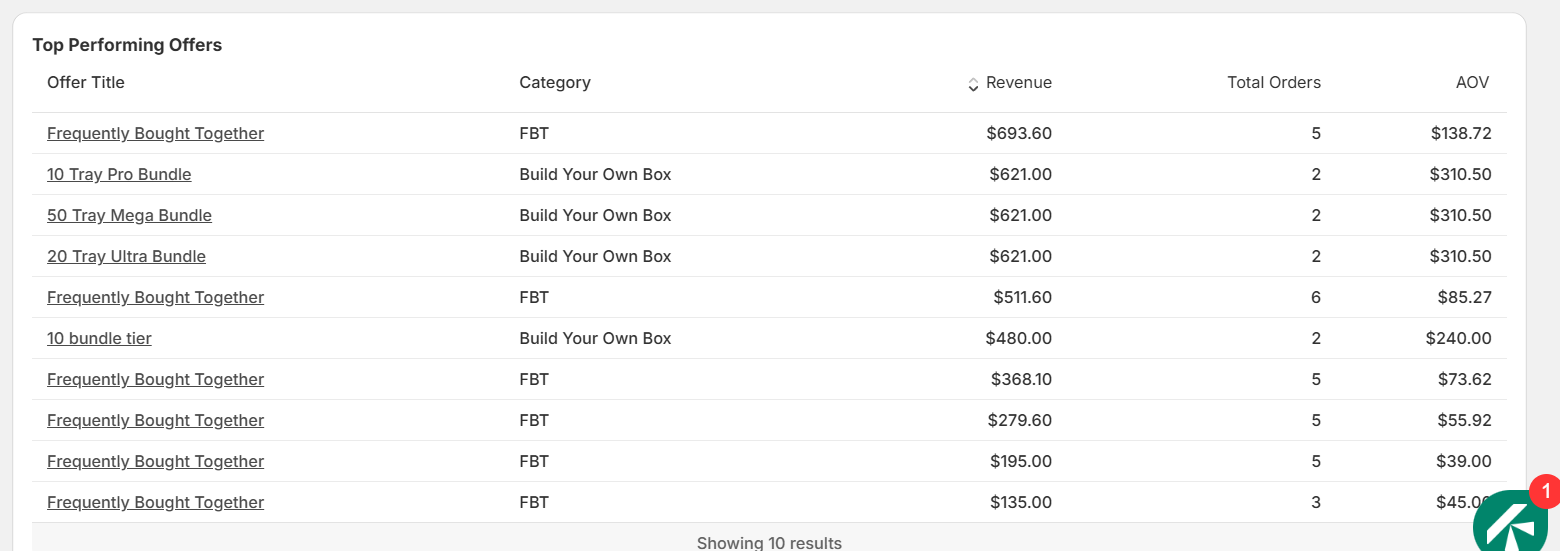
The Top Performing Offers section provides a clear, comparative view of the offers that are generating the most value on your store. This table helps you quickly identify which bundles and offers are contributing the highest revenue and order volume, allowing you to optimize your upsell and bundling strategy with confidence.
Each row in the table represents a specific offer and includes the following details:
This section is especially useful for comparing high-volume offers versus high-value offers, identifying consistently performing bundles, and deciding which offers to scale, refine, or retire based on their actual performance data.
The Bundles Analytics section provides a comprehensive view of performance across all bundle types created in Kefi. This section consolidates data from every supported bundle configuration, giving you a complete understanding of how your bundled offers contribute to revenue and orders.
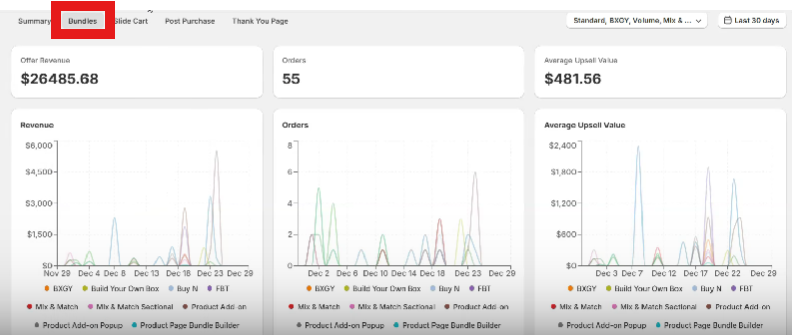
The following bundle types are fully covered in this section:
For all of the above bundle types, Kefi tracks key performance metrics including:
The Overview Funnel provides a clear, step-by-step view of how customers interact with your bundles and offers, from initial exposure to final purchase. This funnel helps you understand where customers engage and where drop-offs occur within the buying journey.
The funnel tracks the following stages:
By comparing these three stages views, add-to-cart clicks, and orders the Overview Funnel allows you to identify conversion gaps, evaluate offer effectiveness, and make informed optimizations to improve performance at each stage of the funnel.
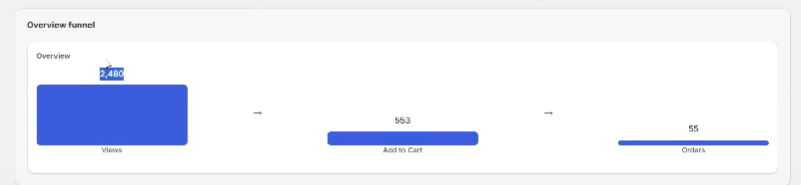
All bundle data is aggregated and displayed in a single analytics view, allowing you to compare performance across different bundle strategies and formats. This makes it easier to identify which bundle types are driving the most value, which ones convert best, and where optimization opportunities exist.
The Slide Cart section provides insights into upsells shown directly within the cart before checkout.
Each upsell product displayed in the slide cart is tracked independently, helping merchants understand which add-ons perform best at the cart stage.
The Post Purchase tab tracks offers shown immediately after checkout.
This section is especially useful for evaluating one-click upsells and identifying high-margin opportunities after checkout.
The Thank You Page tab captures performance data for offers displayed on the order confirmation page.
This view helps merchants understand how effectively final-stage offers convert after an order has been completed.
Kefi Analytics includes advanced filtering options that allow merchants to analyze data with precision.
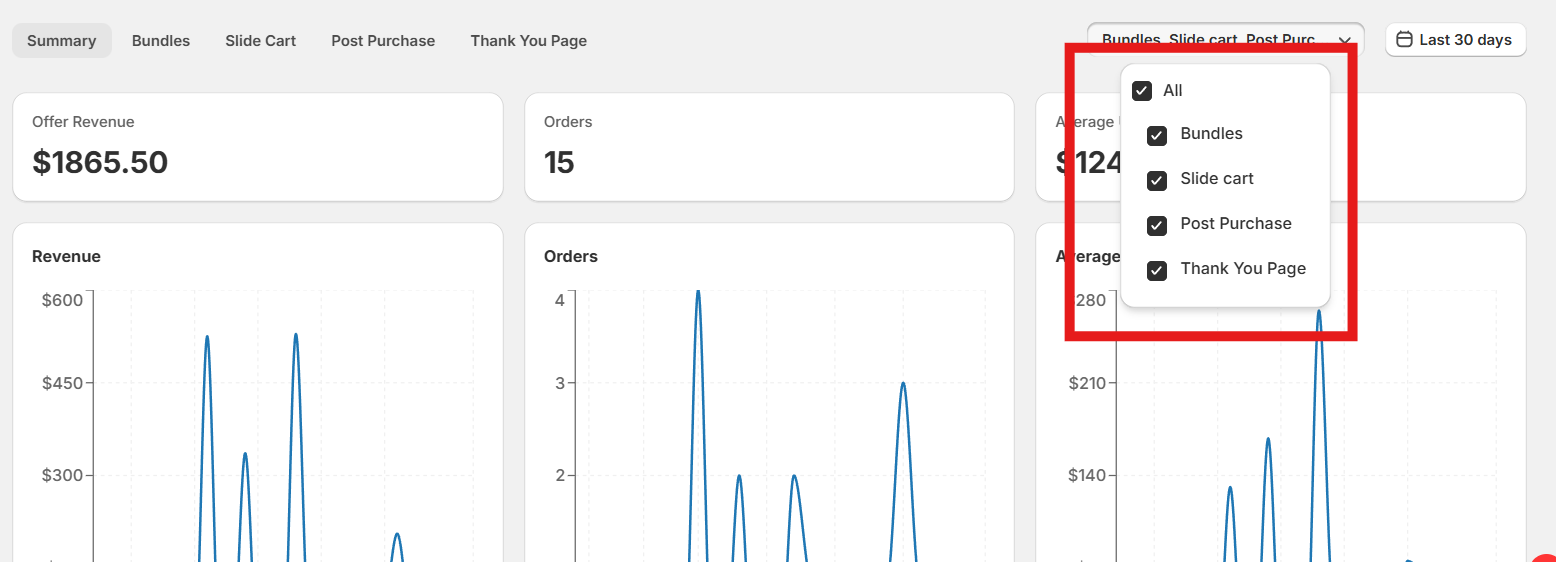
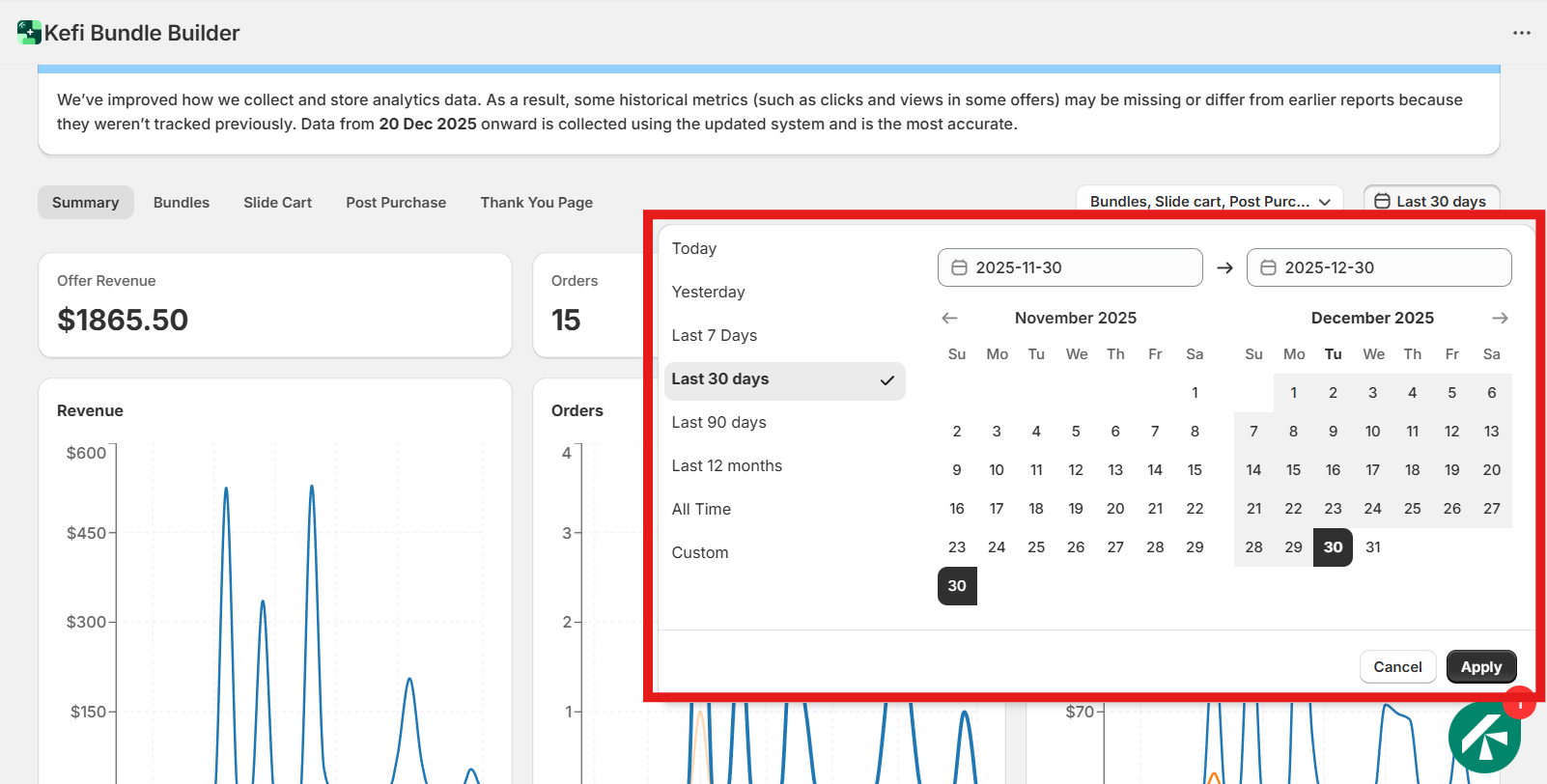
With the expanded Analytics section, merchants can:
The new Analytics section in Kefi represents a major step forward in understanding how bundles and upsells contribute to store revenue. By offering granular insights across bundles, slide cart upsells, post-purchase offers, and thank-you page interactions, Kefi empowers merchants to optimize their strategy with confidence.
This enhanced analytics experience ensures that every decision from bundle creation to upsell placement is backed by accurate and actionable data.

