Integrating our app with Replo is quick and easy! Follow the step-by-step guide below to add your bundles seamlessly into your Replo pages. We've included clear instructions to help you navigate through the process smoothly.
Start by logging into your Replo workspace where you want to add the app bundle.
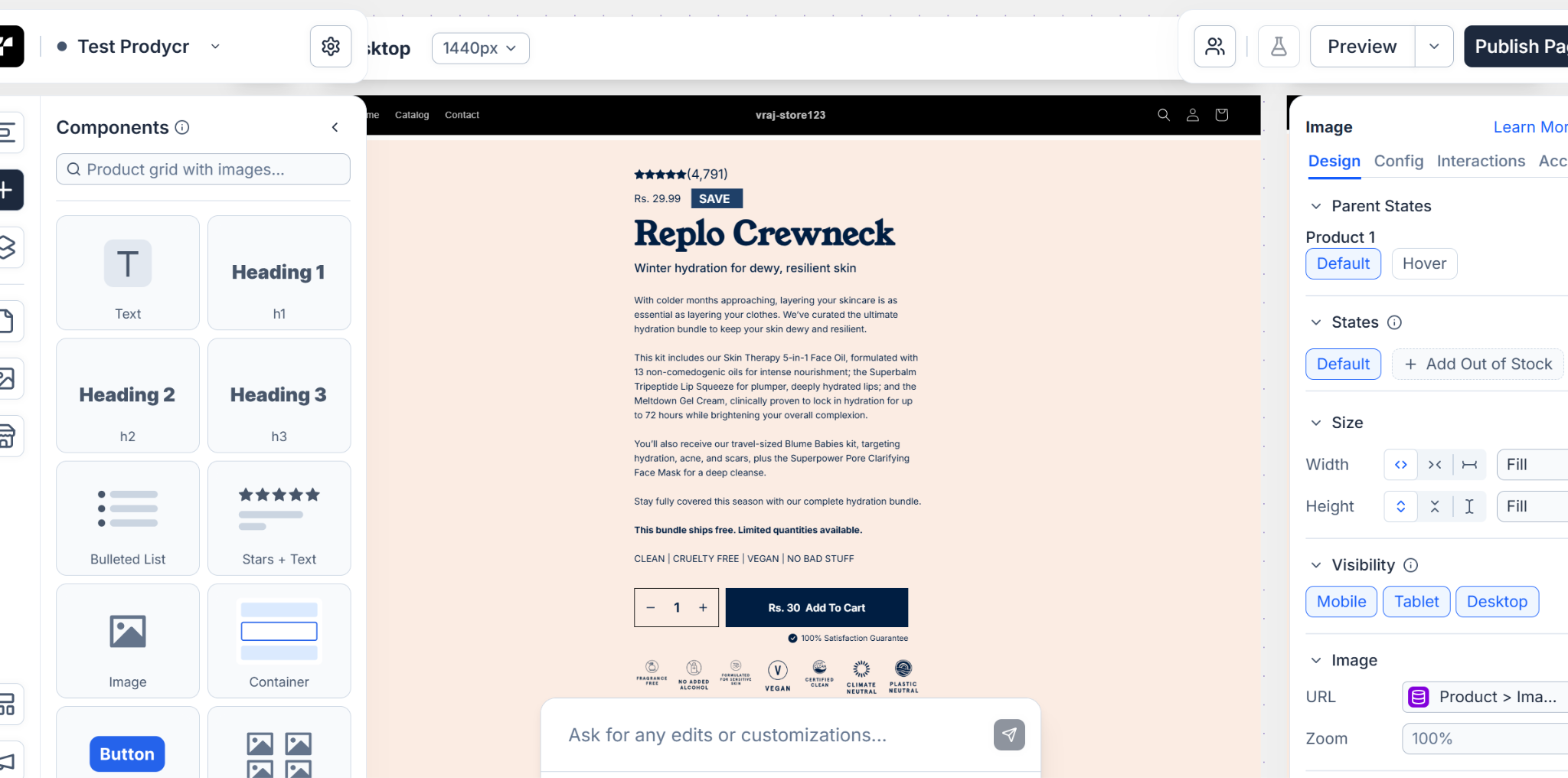
In the Components section, use the search bar to find the Liquid component.
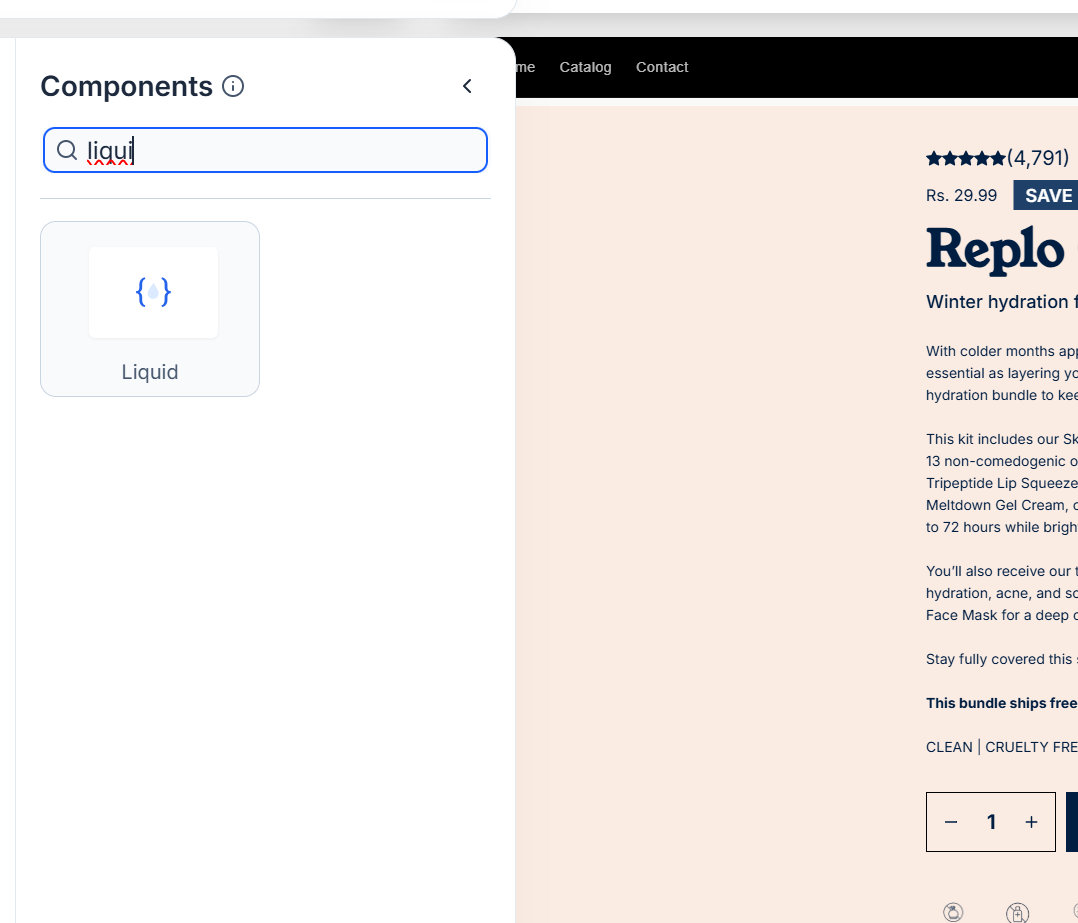
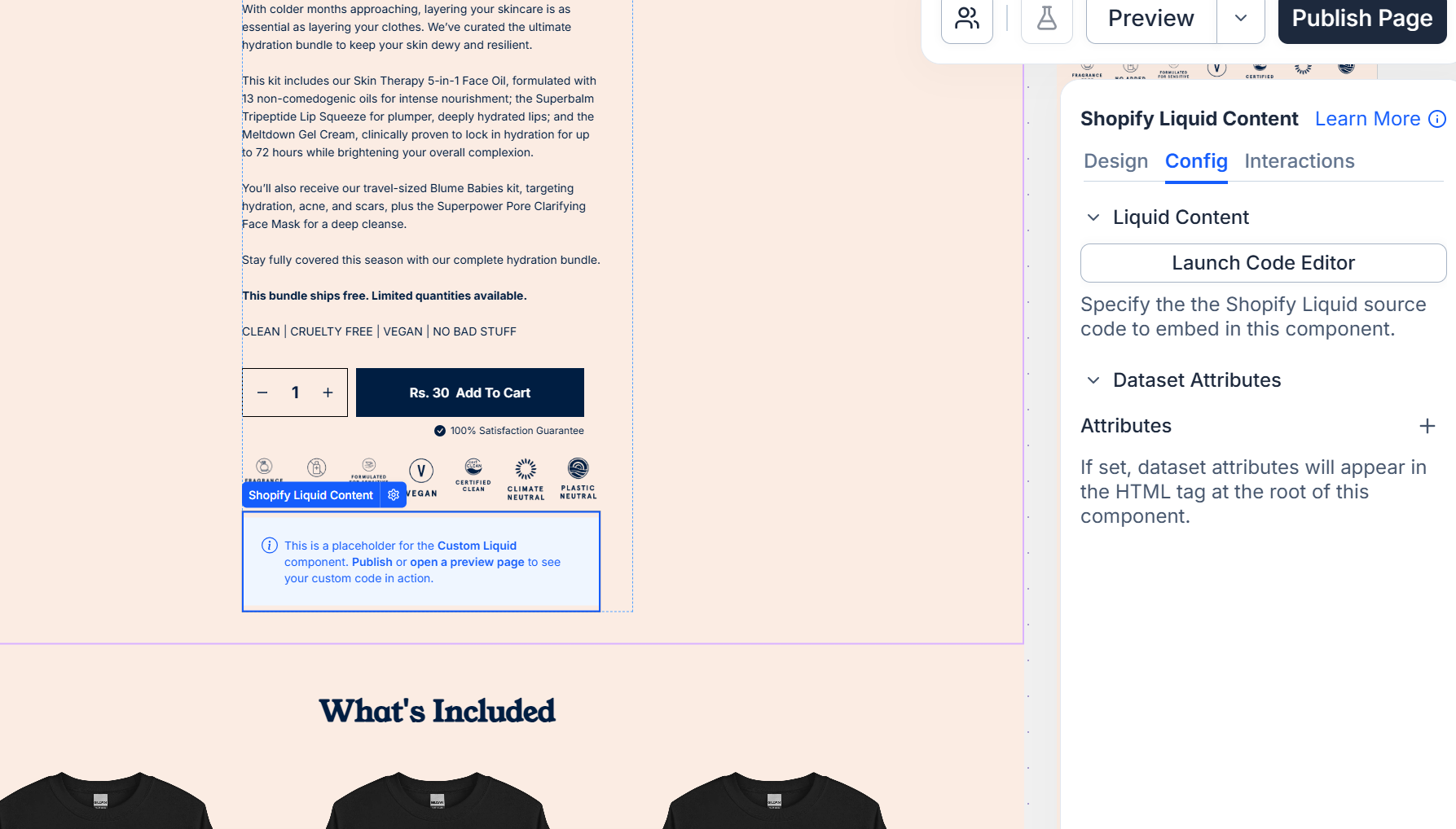
Drag and drop the Liquid component onto the section of the page where you want your bundle displayed.

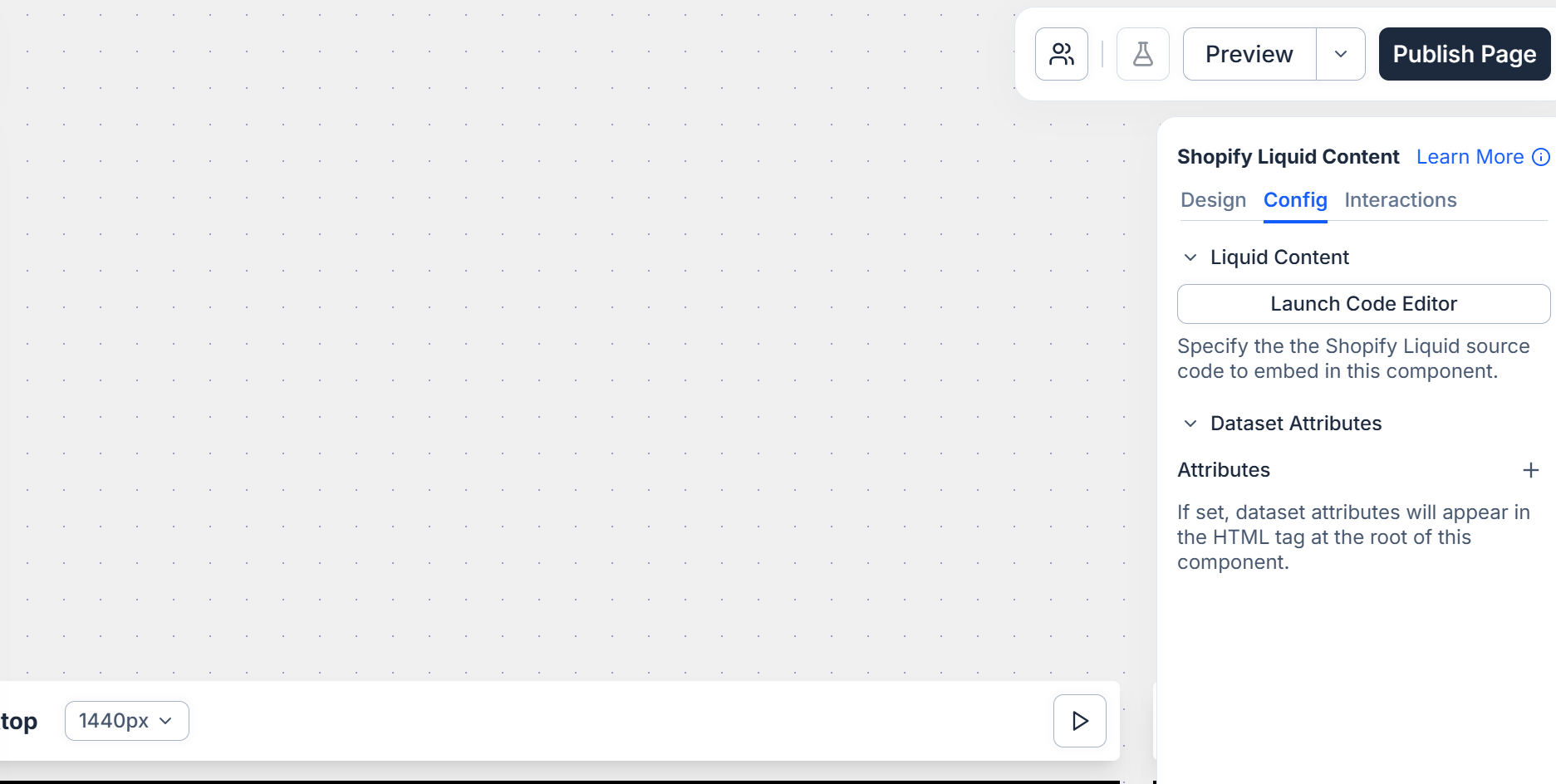
Click the Liquid component, then in the left panel under Config, select Launch Code Editor.
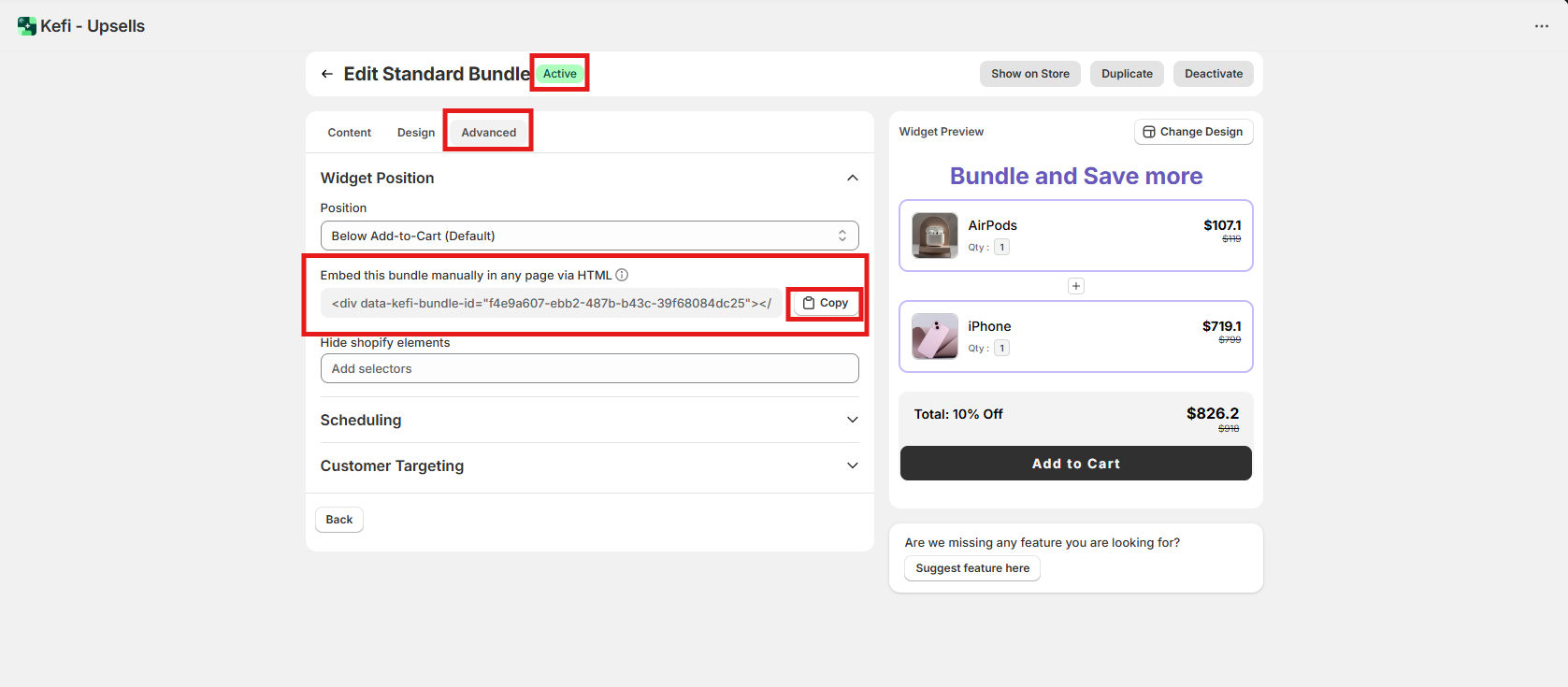
Go to Kefi dashboard, open the Advanced tab of the bundle (Active) you want, and copy the code snippet.
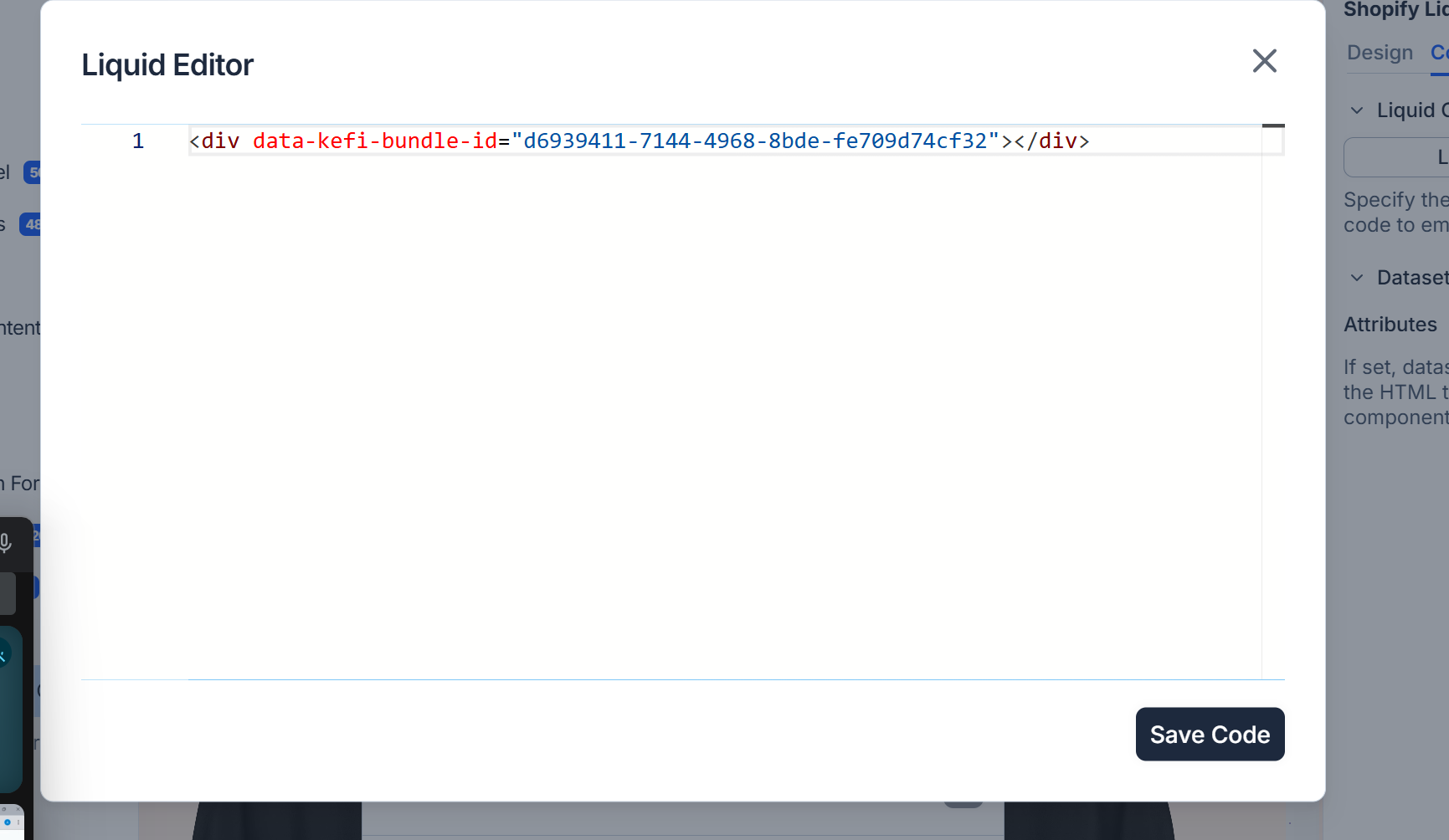
Return to Replo’s Liquid editor and paste the copied code snippet.
Preview your page to see the changes, or publish it to make your bundle live.
If you're still seeing the error after following these steps, feel free to reach out to our support team for further assistance.
.svg)
