Kefi Bundle Builder is a powerful, Built for Shopify approved app designed to help store owners increase their sales by offering strategic upsell opportunities to customers. Much like traditional product bundles, Kefi Bundle Builder boosts revenue by encouraging shoppers to add more to their cart with complementary or higher-value product suggestions throughout the shopping experience.
By promoting relevant product recommendations or limited-time offers, Kefi Bundle Builder helps you increase your Average Order Value (AOV)—a key metric that reflects the average amount spent each time a customer places an order on your store. Upselling is an essential technique in eCommerce that not only boosts revenue but also enhances the customer's experience by helping them discover more of what they need.
Once you’ve installed Kefi Bundle Builder on your Shopify store, you can access and view the Kefi Dashboard. This is your command center where you can monitor your store’s upsell performance, create and manage offers, and track overall growth.
Let’s take a deep dive into what each section of the dashboard means and how you can use it to maximize your sales.
When you click on Kefi Bundle Builder from your Shopify admin, you’ll be redirected to the main dashboard. This dashboard is divided into key sections, including:

The Analytics section helps you monitor how well your upsell offers are performing. It provides key insights through three main metrics:
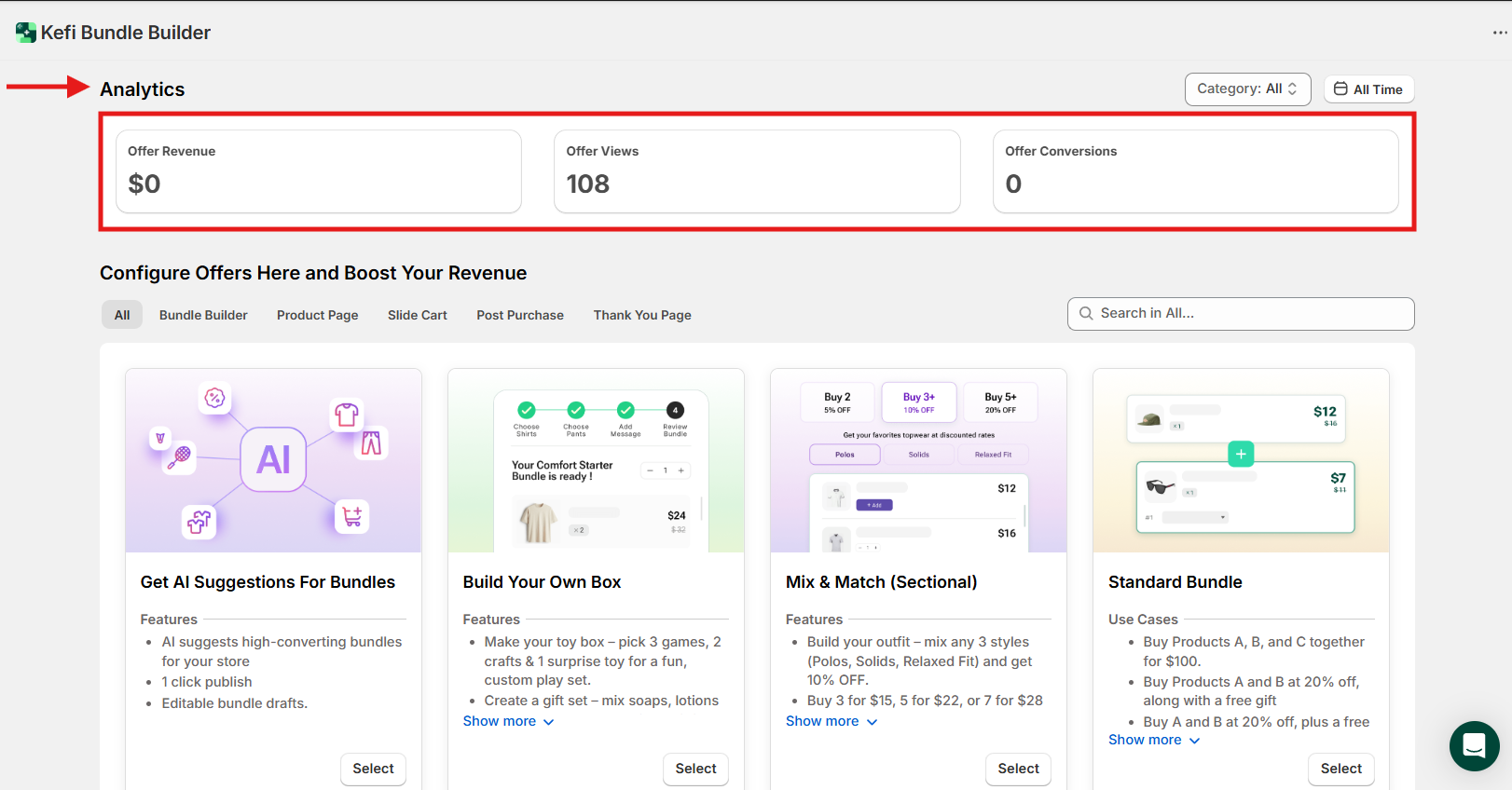
You can also customize the data view in two powerful ways:
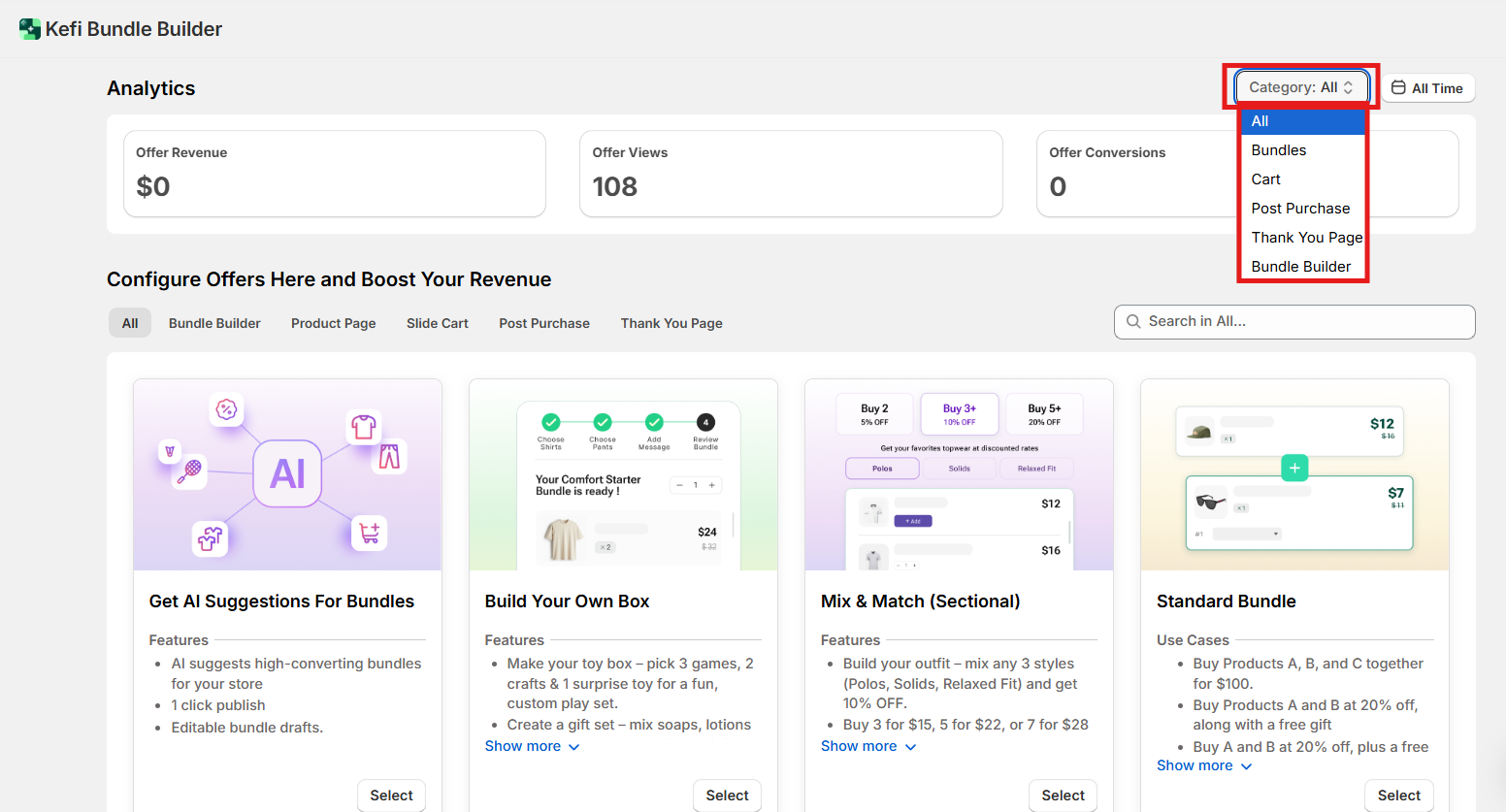
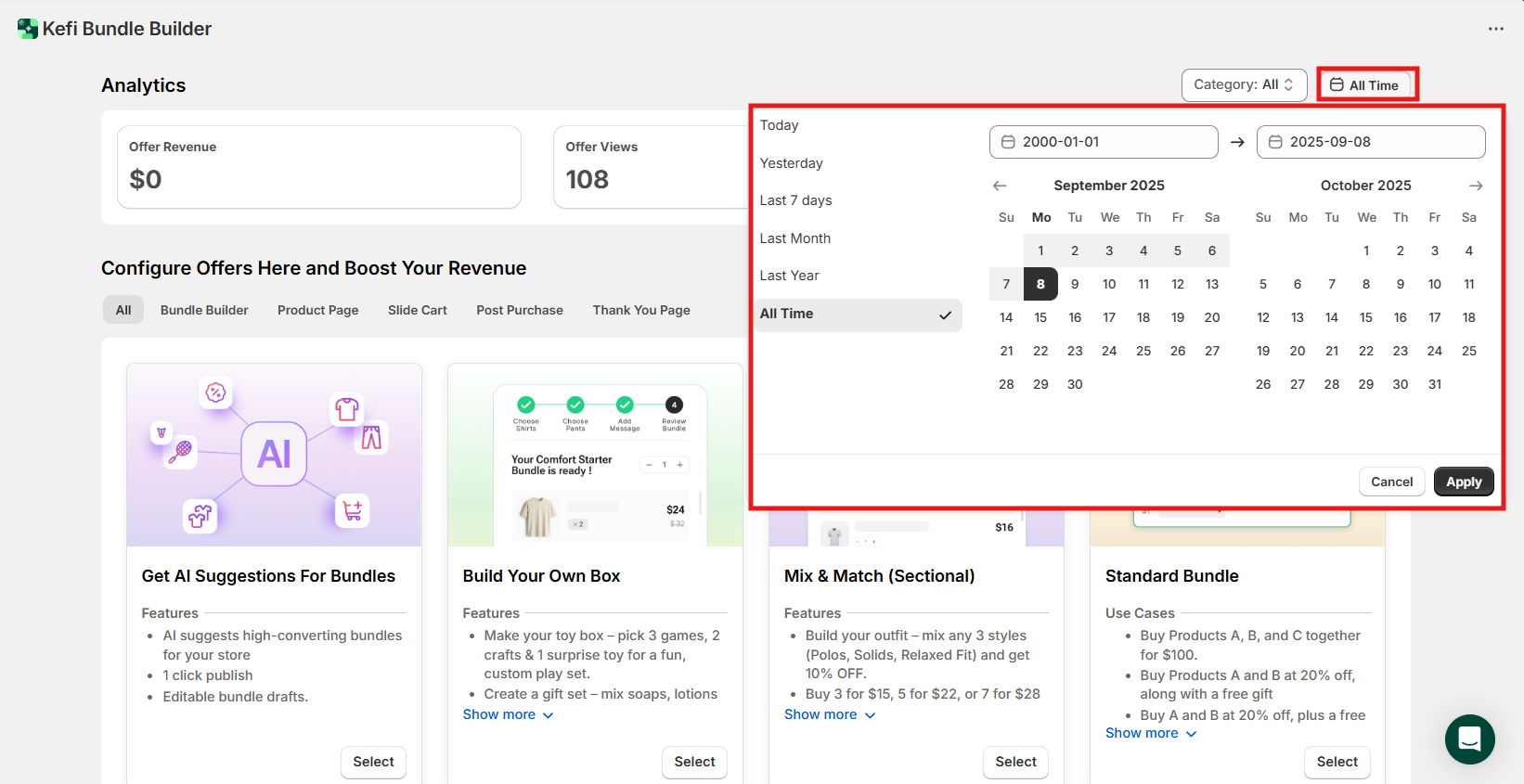
Now that you're familiar with your analytics, it's time to configure the upsell offers available through the Kefi Bundle Builder app. These offers are organized into different sub-sections, making it easy to manage and tailor your strategy based on where and how you want to present the upsell.
Here’s a breakdown of each category:
All
This is the default view and shows all offers, including Bundles, Slide Cart, Thank You, and Post Purchase upsells in one place.

Bundle Builder
This section includes advanced bundling options designed to let your customers create personalized product combinations:

These tools are ideal for offering high-flexibility bundle options and improving customer engagement through customization.
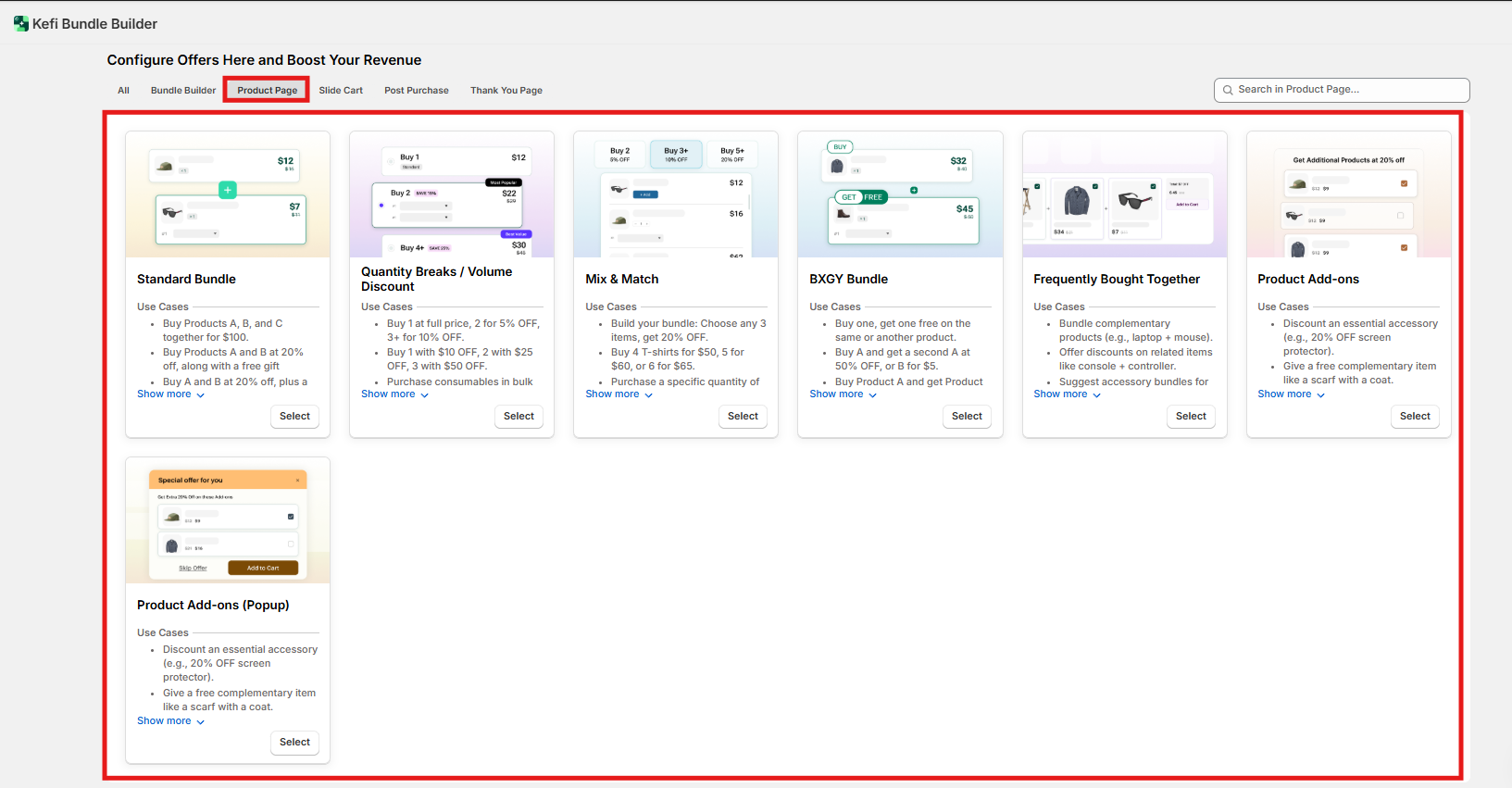
Product Page
This section includes a variety of bundle and upsell types designed to be displayed directly on the product page:
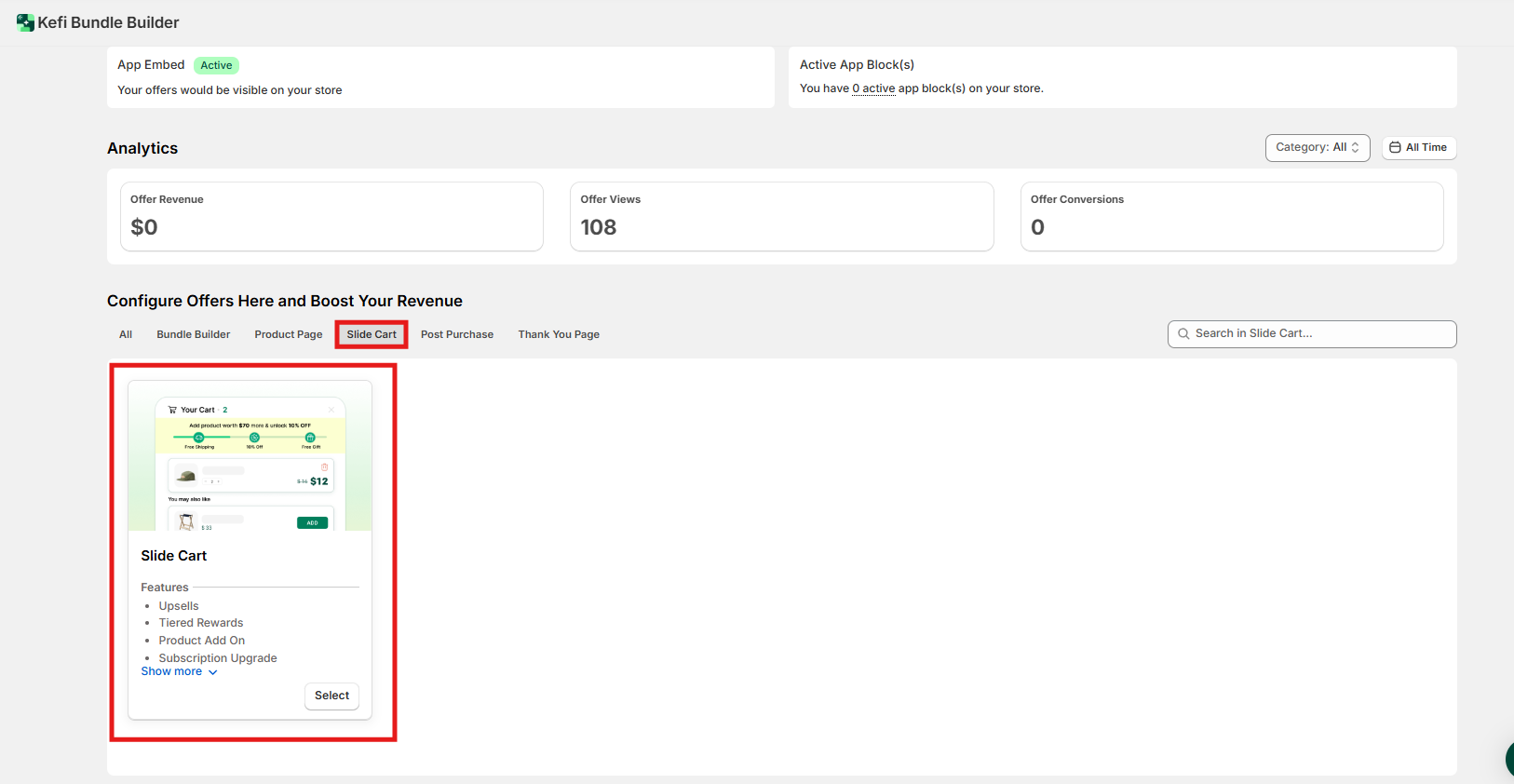
Slide Cart
Create upsell offers that appear in the slide-out cart, giving customers last-minute suggestions before checkout. These are highly visible and can significantly boost AOV.
Thank You Page
Configure upsell offers that appear on the order confirmation page. Great for promoting related products or limited-time deals post-purchase.

Post Purchase
These offers appear immediately after checkout but before the final thank-you page—perfect for catching customer attention with one-click upsells.

This section is located on the left panel of your Kefi Bundle Builder dashboard and gives you a centralized view of all upsell and bundle offers.
Here’s what each sub-section includes:
This area keeps your upsell strategy organized and easy to manage.

This section shows you all the bundle ideas generated by Kefi’s smart recommendation engine. These are based on your store’s product data and sales patterns.
You can:
At the top, the “Create New Suggestions” button lets you prompt the AI to analyze your catalog and offer fresh ideas based on current data.
This is an excellent way to create bundles if you're unsure where to start or want to speed up the process.

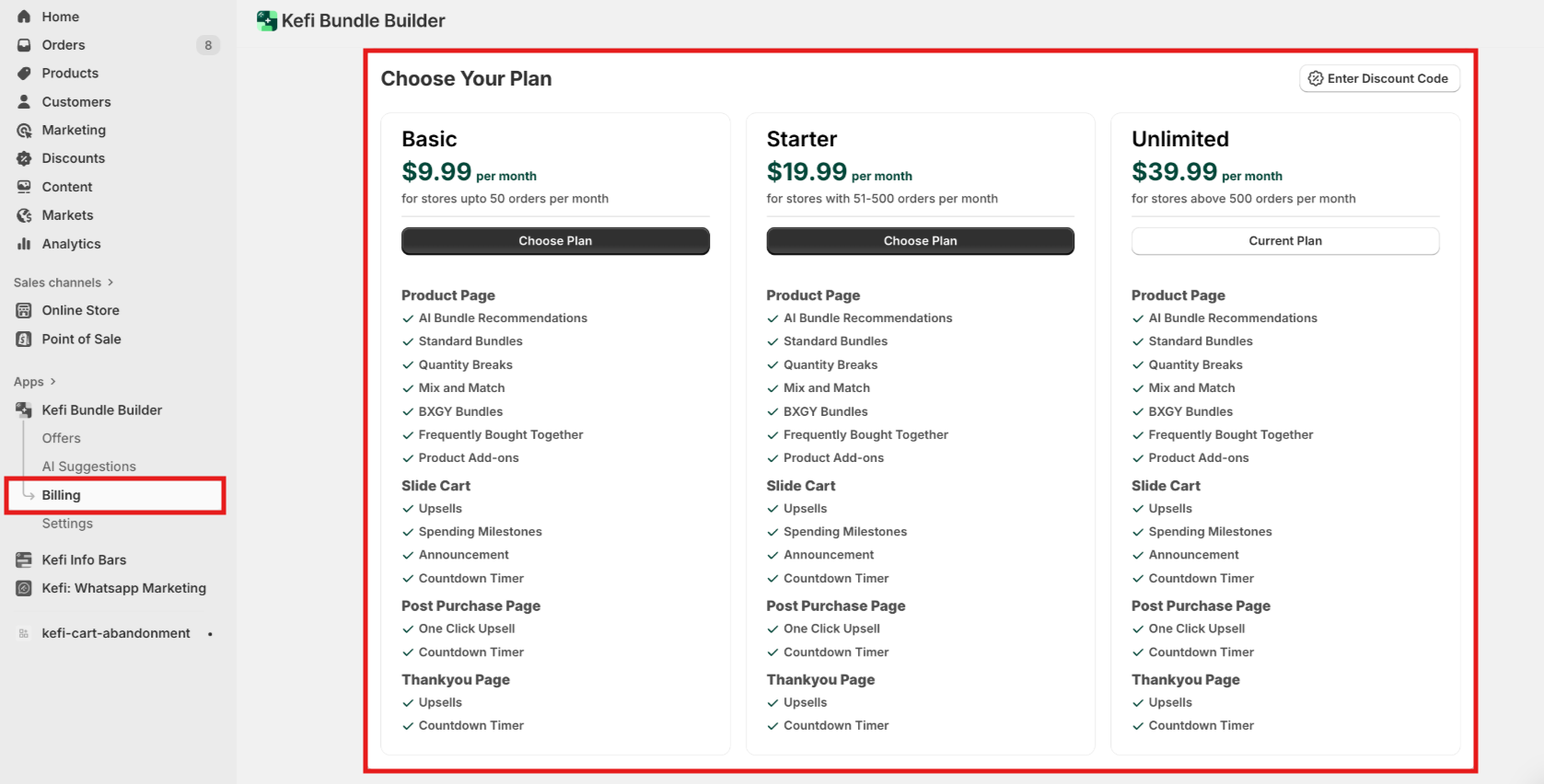
The Billing section shows your current subscription plan and lets you manage or upgrade it as your store grows.
Kefi Bundle Builder offers three flexible plans:
Upgrade anytime based on your store’s needs.
In the Settings section, you can:
To enable the redirect:
This helps ensure a smoother checkout experience across devices and payment methods.
Swatch Options
This section lets you preview and manage how swatch styles (such as color or size options) appear on your product bundles or upsell offers.
This feature helps provide a clean and user-friendly product selection experience.

If you have any questions or need support, we’re here to help:
.svg)
