

When running a Shopify store, one common challenge is presenting product variants in a way that is both clear and visually appealing. Default dropdown menus may function well, but they often fail to give customers a quick, intuitive understanding of available options such as colors, styles, or sizes. This can lead to confusion, slower decision-making, and even lost sales when shoppers cannot easily visualize their choices.
The goal of modern eCommerce stores is to create a seamless, engaging product discovery experience that helps customers make confident decisions. Variant image swatches offer a more visual and interactive way to display product options, allowing shoppers to instantly see differences without relying on text-based selections. This not only improves usability but also increases the likelihood of conversions by reducing friction in the buying journey.
In this guide, we will explore how Shopify apps for variant image swatches can transform your product pages into more intuitive and conversion-friendly experiences. You will learn how these apps enhance product presentation, improve customer engagement, and ultimately help drive higher sales for your store.
Variant image swatches are visual representations of your product options, such as color or material, that customers can click to view different product variants. Instead of a plain-text dropdown menu (e.g., 'Red,' 'Blue,' 'Green'), shoppers see small, clickable thumbnails, often circles of color or tiny images of the actual product variation. When a customer selects a swatch, the main product image gallery updates instantly to show only the pictures associated with that specific choice.
This simple change has a major impact. It allows customers to quickly and visually compare options without guessing what a 'Cerulean Blue' T-shirt looks like. Your product image gallery becomes a dynamic tool that responds to user interaction, providing immediate visual feedback. This creates a much more engaging and less confusing shopping journey, helping shoppers feel confident about the products they add to their carts.
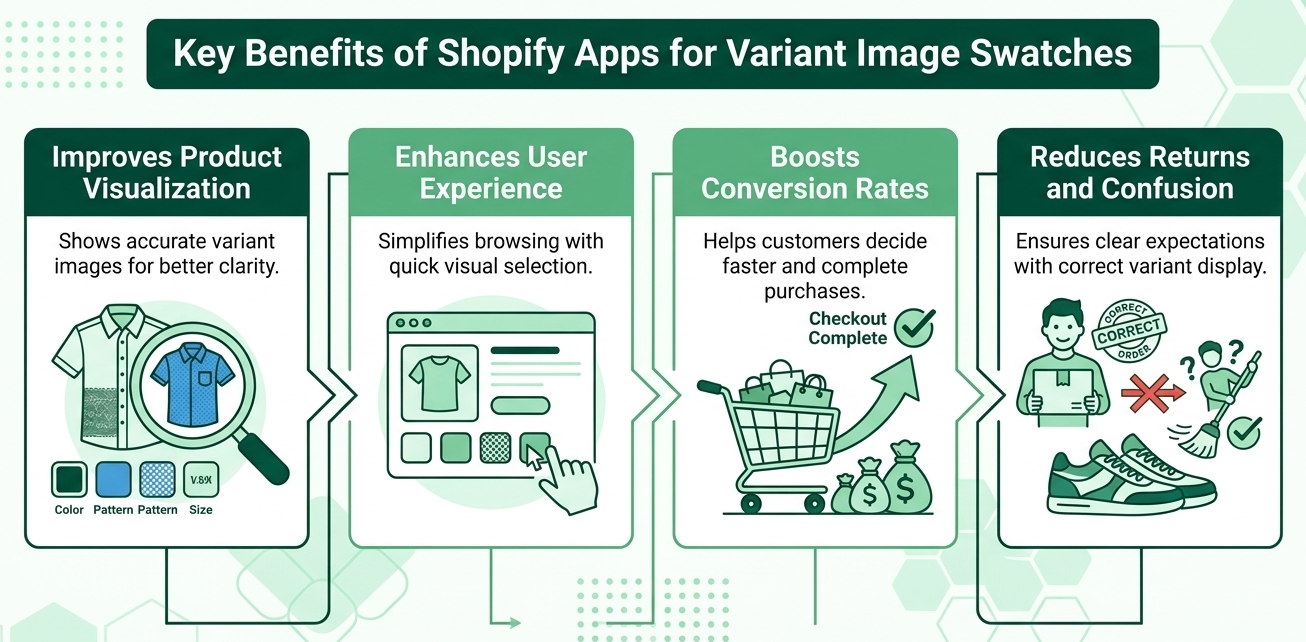
Shopify apps for variant image swatches enhance the user experience by providing quick visual feedback and improving product selection. They help reduce cart abandonment rates, increase conversion rates, and allow customers to easily navigate through multiple options, ultimately leading to higher customer satisfaction and sales.
One of the most impactful benefits of using a Shopify variant images app is how it transforms product visualization into a clear, real-time experience for shoppers. Instead of imagining how a variant might look, customers can instantly see the exact color, texture, or style they are selecting, which builds confidence and reduces hesitation. Many of the best Shopify app for variant images allow dynamic image switching when a swatch is clicked, making the browsing experience feel far more interactive. With solutions like Kefi Swatch Options integrated into your store, this visual clarity becomes a natural part of the product page, ensuring each variant is displayed accurately without disrupting the overall design.
A seamless user experience plays a major role in keeping customers engaged, and variant swatches make navigation significantly smoother. Instead of relying on dropdowns or multiple clicks, shoppers can quickly explore options with intuitive visual cues. This is why many merchants turn to the best Shopify variant image gallery apps to simplify product discovery and reduce friction. When swatches are implemented thoughtfully through apps like Kefi Swatch Options, the interaction feels fluid and consistent, helping customers move through different variations effortlessly and making the overall browsing experience more enjoyable.
When customers can clearly see and select the exact product they want, they are far more likely to complete their purchase. A well-implemented variant image automator Shopify app removes confusion and shortens the decision-making process, which directly improves conversion rates. Visual clarity builds trust, and trust leads to action. By presenting variants cleanly and intuitively, tools such as Kefi Swatch Options naturally support this flow, ensuring customers feel confident in their choices and reducing the hesitation that often leads to abandoned carts, something every effective Shopify variant images app aims to solve.
Returns often happen when customer expectations don’t match the product received, and unclear variant presentation is a common cause. By using a reliable Shopify variant images app, you ensure that customers see only images relevant to the variant they select, minimizing confusion and setting accurate expectations. Many of the best Shopify app for variant images focus on this clarity to reduce post-purchase dissatisfaction. When swatches are handled seamlessly through solutions like Kefi Swatch Options, each selection aligns with precise visuals, helping customers know exactly what they are ordering and ultimately lowering return rates while improving overall satisfaction.
Choosing the right Shopify apps to manage your variant image swatches can transform your product pages. The Shopify App Store is filled with options, each offering a unique set of features, pricing, and customization levels. The best app for you will depend on your store's specific needs, your budget, and how much control you want over the design. From simple color swatches to advanced image-based selectors, these apps help you display your product variants in a more visually appealing and user-friendly way.
Let’s explore some of the top-rated apps that can help you enhance your product displays and improve the customer journey.
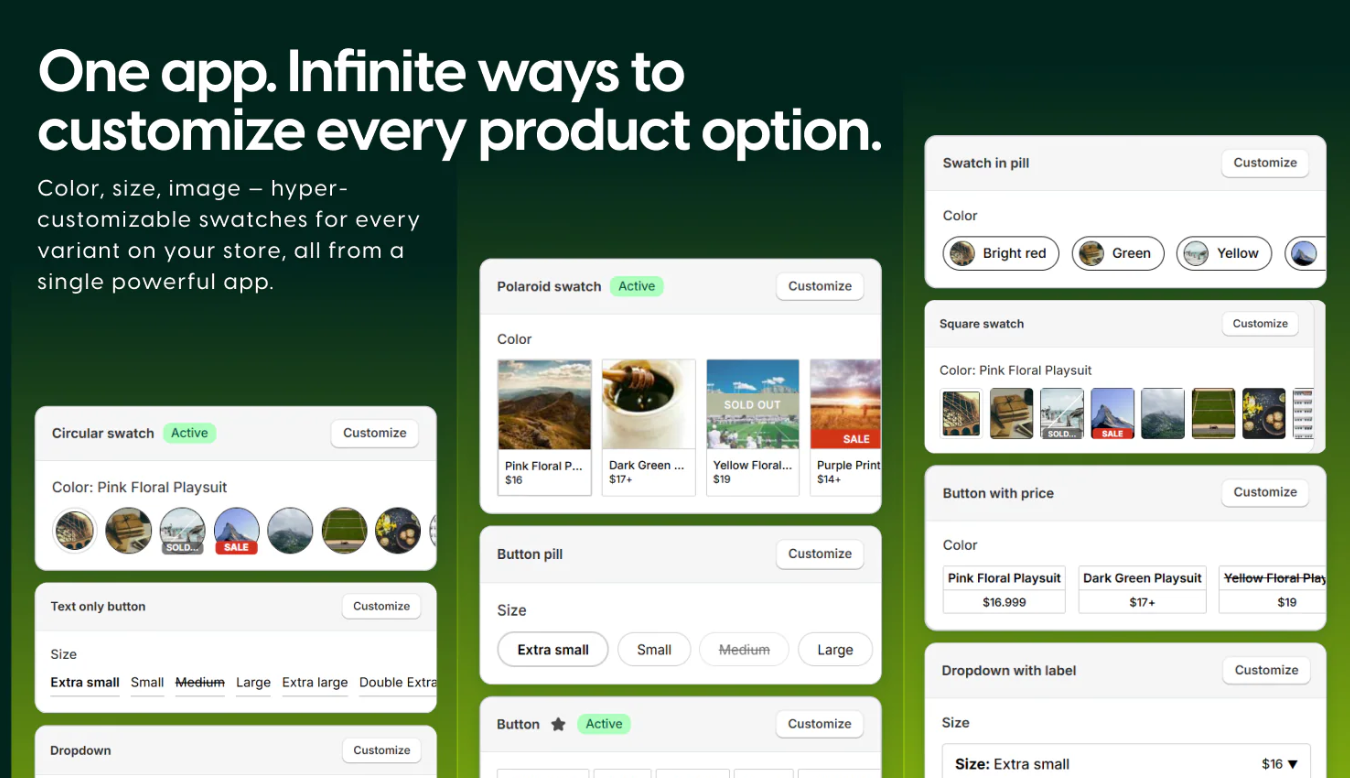
Source: Kefi Swatch Options
Kefi Swatch Options is a strong alternative for merchants seeking robust control over their variant displays. This app focuses on providing a seamless experience for both the merchant and the customer. It allows you to transform standard dropdown menus into beautiful, clickable color swatches or image thumbnails. A key benefit is its ability to automatically assign multiple product images to each variant, ensuring the gallery updates instantly when a customer makes a selection. The app is designed to work with your existing theme, minimizing conflicts and maintaining a professional look. With flexible customization options, you can tailor the appearance of your swatches to perfectly match your brand's aesthetic. It supports various swatch types and offers an easy-to-use interface, making it accessible even for merchants without technical expertise.
• Visual Swatch Display: Replaces dropdowns with color, image, and variant image swatches for faster and clearer product selection.
• Variant Image Automation: Automatically assigns and displays the correct variant images without manual mapping.
• Collection Page Integration: Shows swatches on collection pages to help customers compare options before opening products.
• Flexible Customization: Lets you control swatch shape, size, layout, and styling to match your store design.
• Bulk Swatch Management: Supports bulk editing and CSV import/export for managing large product catalogs efficiently.
• Variant-Level Information Display: Allows showing extra details like price differences or labels directly on swatches.
• Theme Compatibility Integration: Works smoothly with existing Shopify themes without breaking layouts or requiring code changes.
• Fashion and Lifestyle Stores: Ideal for products with multiple colors, styles, or visual variations that need clear and attractive presentation.
• UX-Focused Brands: Suitable for merchants aiming to simplify variant selection, reduce confusion, and improve overall shopping clarity.
• Scaling Shopify Stores: Works well for businesses managing multiple products and needing efficient bulk swatch control across large catalogs.
• Conversion-Focused Stores: Best suited for merchants who want to improve product page engagement and increase add-to-cart rates through better visual selection.
Kefi is a strong choice for merchants looking to upgrade from basic dropdowns to a more visual and conversion-focused experience. It improves clarity, speeds up decision-making, and integrates smoothly with store design. For brands focused on improving user experience and increasing conversions through better product presentation, it offers a clean and effective solution. It also helps reduce customer hesitation by making product choices more visually intuitive and interactive. Overall, it adds a more modern and engaging layer to standard Shopify product pages.
Free Plan – $0/month: Includes core swatch features, visual variant display, customization options, and basic functionality for improving product selection.
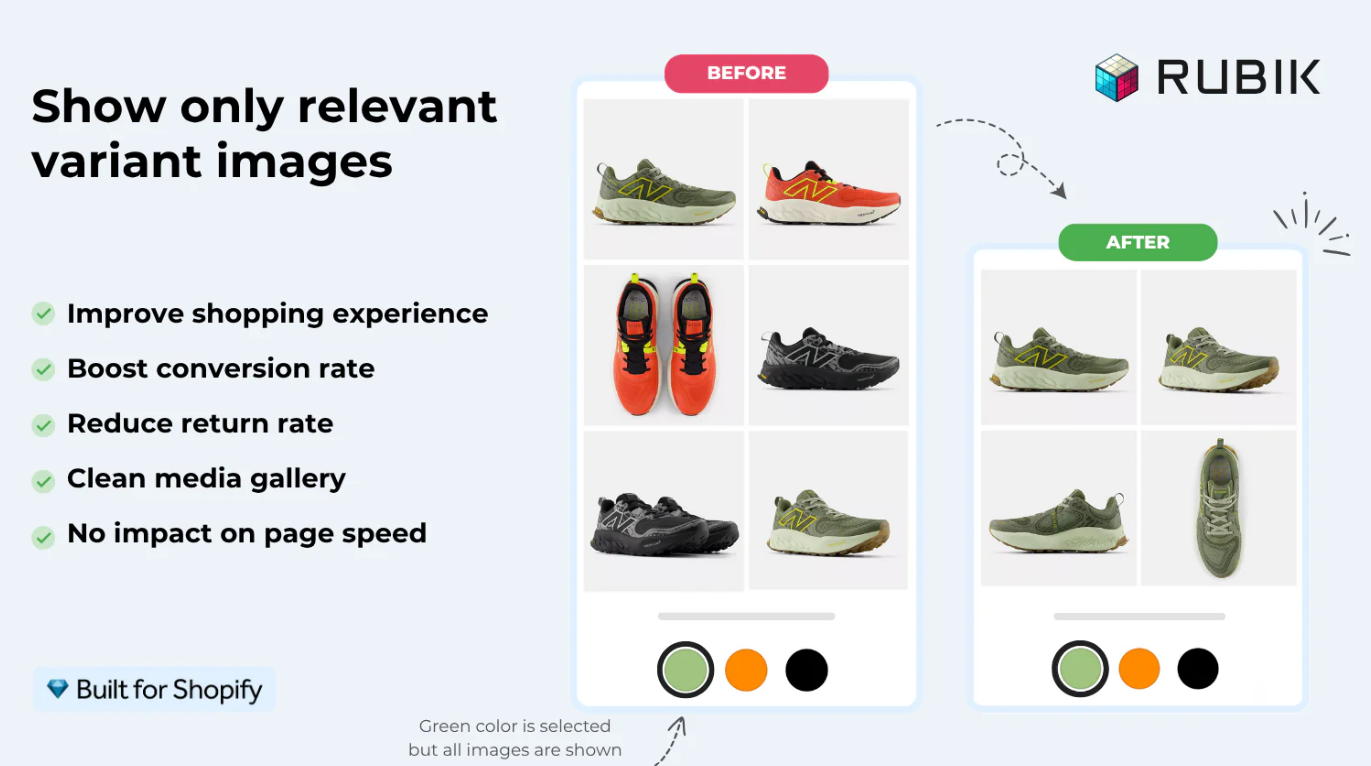
Source: Rubik Variant Images & Swatch
Rubik Variant Images & Swatch is good for its focus on performance and seamless integration with various Shopify themes. It allows customers to view multiple images, videos, and even 3D models for each product option directly on the product page. The gallery filters instantly as a customer selects a different variant, without any lag or glitches. However, it's worth noting that the app's functionality is primarily for product pages. If you want to display swatches on your collection pages, you would need a separate app.
• Variant-Specific Image Display: Shows only the images linked to the selected variant, reducing clutter and confusion.
• AI Image Assignment: Automatically assigns images to variants, minimizing manual setup time.
• Swatch Integration: Supports color swatches and image swatches for intuitive product selection.
• Multiple Images per Variant: Allows assigning multiple photos to each variant for richer product presentation.
• Fashion and Furniture Stores: Ideal for products with multiple visual variations like colors or materials.
• UX-Focused Brands: Suitable for improving clarity and reducing confusion on product pages.
• High SKU Businesses: Works well for stores managing many variant combinations.
Rubik is a solid choice for improving product page clarity and reducing confusion through clean, variant-specific image display. It works especially well for stores focused on efficiently organizing large image sets. However, for brands that want a more complete variant experience that combines swatches, customization, and tighter integration across product and collection pages, solutions like Kefi Swatch Options often feel more flexible and conversion-focused while still maintaining a clean visual presentation.
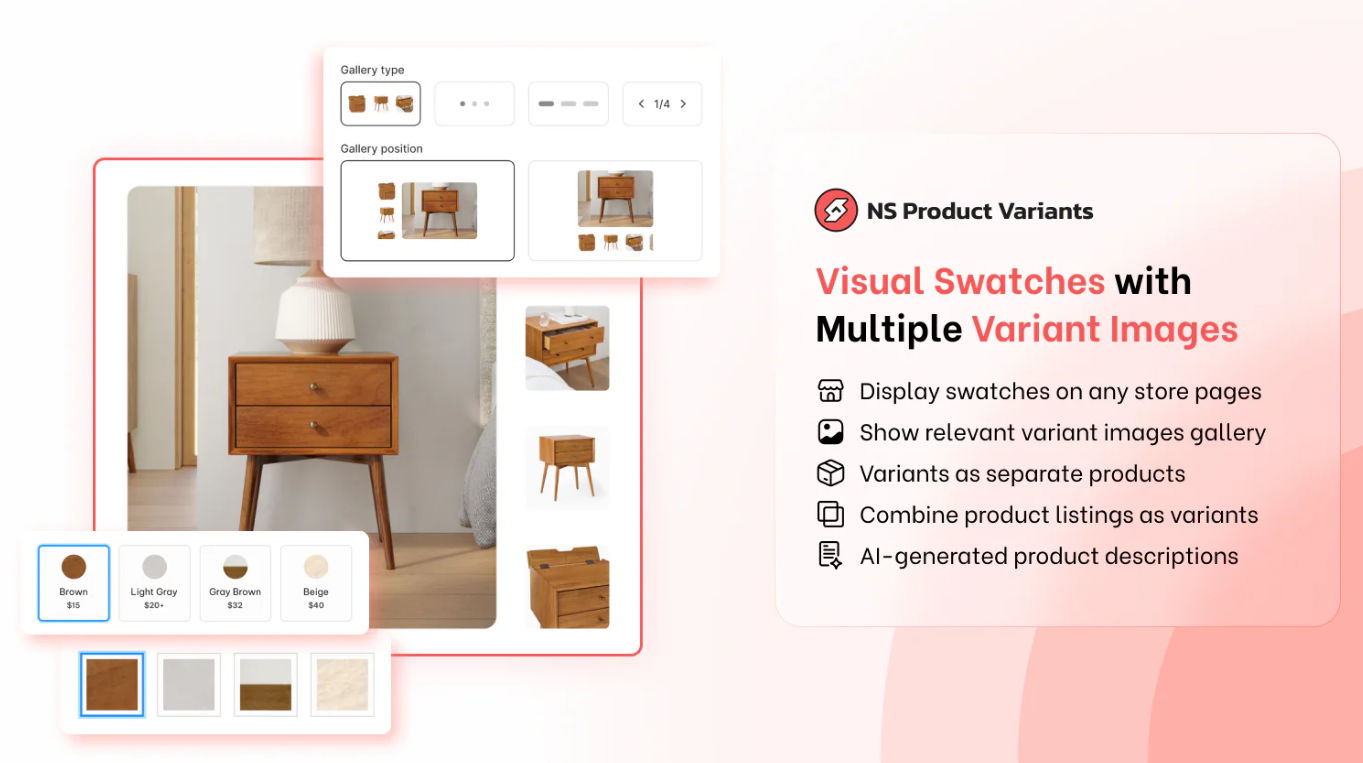
Source: NS Color Swatch Variant Images
NS Color Swatch Variant Images is a versatile app that caters to merchants on a budget who need functionality on both product and collection pages. It provides a comprehensive solution for displaying variant images, offering color swatches, image swatches, dropdowns, and button styles to enhance the product page gallery. This app simplifies the image management process by allowing you to group separate products as variants, creating a unified look for related items. This is particularly useful for presenting a single product that comes in many different styles, each listed as a separate item in Shopify.
• Multiple Display Types: Supports color swatches, image swatches, buttons, and dropdowns for flexible variant presentation.
• Automatic & Manual Image Assignment: Allows auto-syncing or manual setup of variant images for better product clarity.
• Global & Product-Level Settings: Apply variant options across all products or customize them individually to save time.
• Customizable Design: Fully adjustable swatch styles to match your store branding and improve consistency.
• Small to Mid-Sized Stores: Ideal for merchants looking for a simple and cost-effective way to improve variant display.
• Visual Product Stores: Suitable for brands selling products with color, style, or design variations.
• Beginner-Friendly Stores: Works well for merchants who want easy setup without technical complexity.
NS Product Variants & Options is a good entry-level solution for merchants looking to replace basic dropdowns with more visual, user-friendly variant selectors. It improves product clarity and simplifies the selection process without requiring a complex setup. However, for brands that want deeper control over variant logic, more advanced customization, and a more conversion-focused swatch experience across product and collection pages, solutions like Kefi Swatch Options tend to offer a more refined and scalable approach.
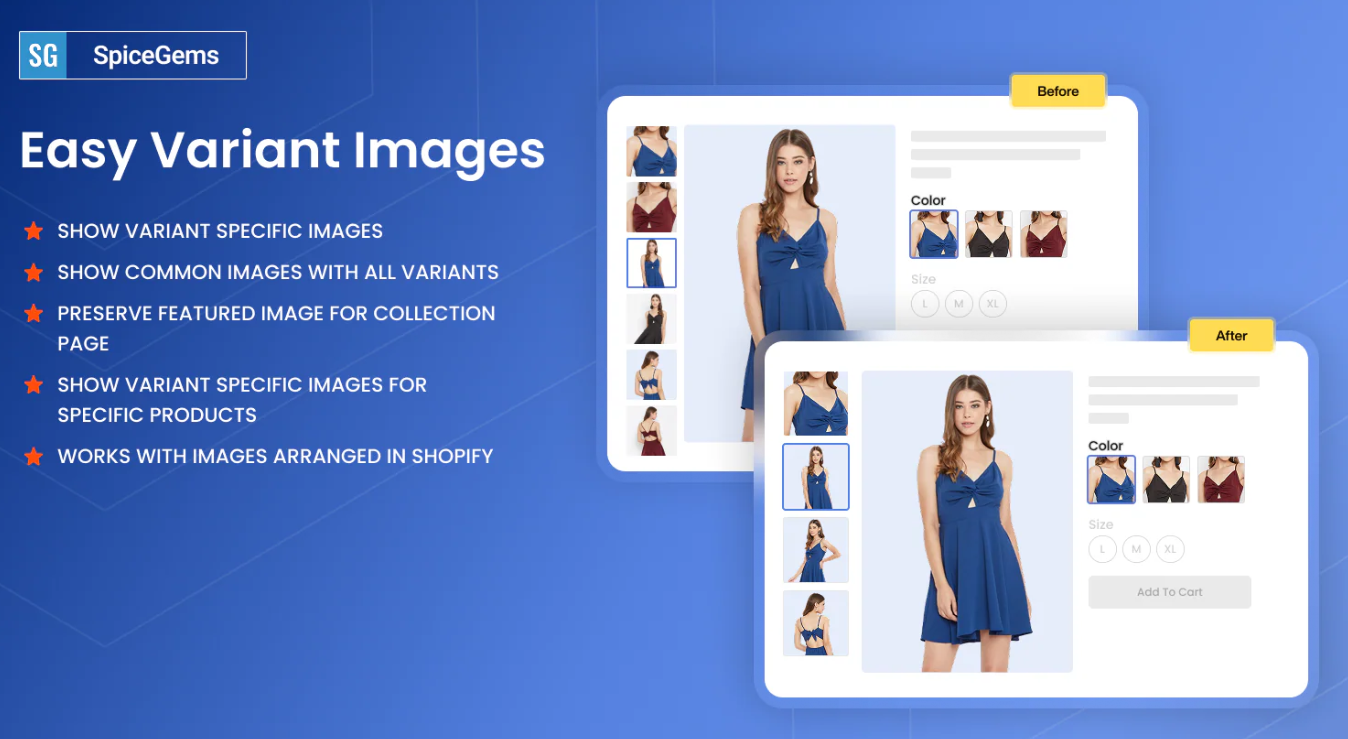
Source: Easy Variant Images
Easy Variant Images focuses on simplicity and a minimal-intervention approach. This app is ideal for merchants who want to improve their variant image display without altering their theme's native look and feel. It automatically groups product images by variant based on their order in your Shopify admin, so no complex tagging or coding is required. When a customer selects a variant, the app filters your existing image gallery to show only the corresponding images, videos, or 3D models. It works seamlessly with your theme’s gallery, preserving features like carousels, grids, and zoom functionality. This makes the setup incredibly straightforward and ensures a consistent user experience.
• Variant-Specific Image Display: Shows only images related to the selected variant to keep the gallery clean and focused.
• Simple Setup: Enables quick installation and configuration without technical complexity.
• Theme Compatibility: Works smoothly with most Shopify themes without causing conflicts.
• Improved Product Clarity: Helps customers clearly view product variations, reducing confusion.
• Small to Mid-Sized Stores: Ideal for merchants looking for a simple and effective variant image solution.
• Clarity-Focused Brands: Suitable for improving product page organization and usability.
• Low-Maintenance Setup Needs: Works well for businesses that want functionality without heavy customization.
Easy Variant Images is a reliable option for merchants who want a straightforward way to manage variant images and improve product clarity. It focuses on simplicity and ease of use, making it great for quick improvements. However, for stores looking to combine visual swatches, deeper customization, and a more conversion-focused experience, solutions like Kefi Swatch Options tend to offer more flexibility and long-term value.
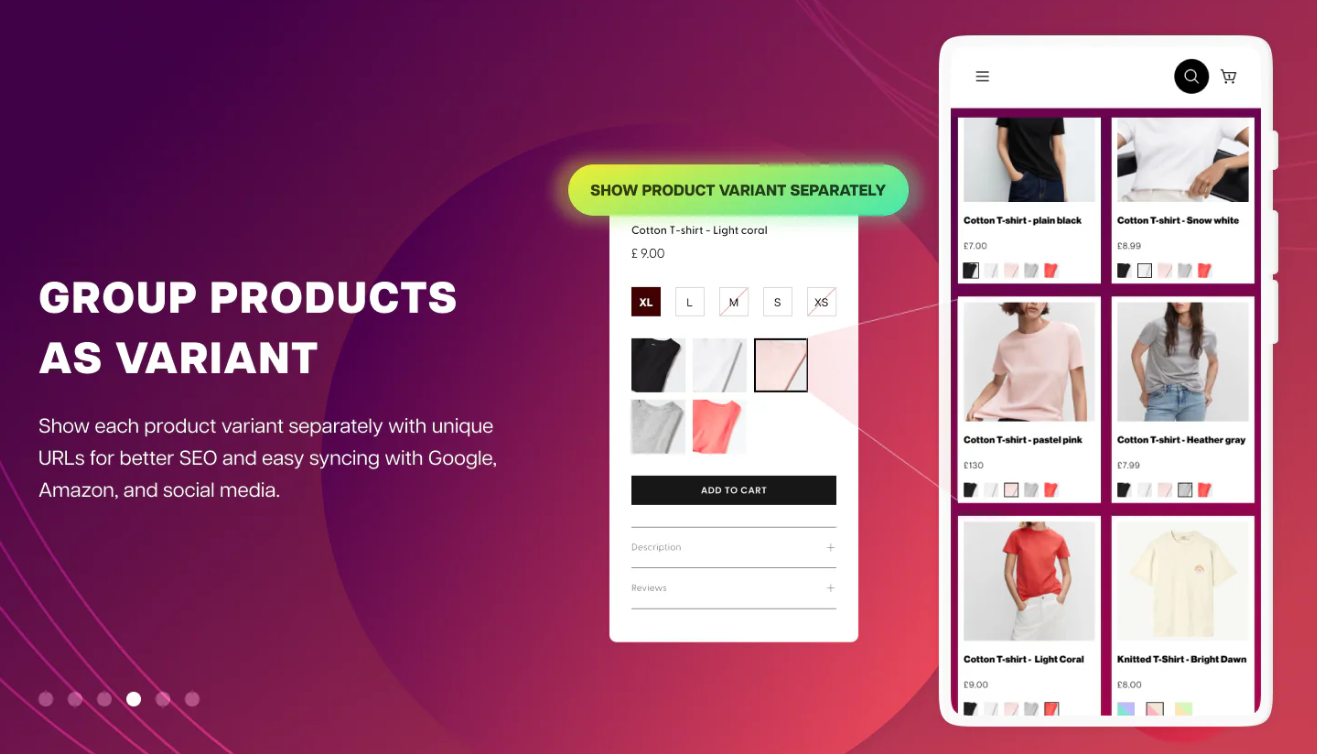
Source: GLO Color Swatch & Bundles
GLO Color Swatch & Bundles is a multipurpose app that combines variant image display with product bundling capabilities. This app lets you display images and color swatches for your product variants, hide out-of-stock options, and create product bundles. If you need to offer bundles alongside visually appealing variant selectors, GLO provides an integrated solution. You can even show swatches on collection pages with its higher-tier plan. While it may not have the deep, specialized features of a dedicated image app for variants, it offers a solid range of functionality that can meet the needs of many stores. The availability of a free plan for basic use makes it easy to test out.
• Multiple Swatch Types: Supports color, image, and button swatches for flexible variant display.
• Variant Image Display: Shows variant-specific images when a swatch is selected.
• Collection Page Swatches: Displays swatches directly on collection pages to improve browsing.
• Customization Options: Allows styling of swatches to match store branding and layout.
• Fashion and Apparel Stores: Ideal for products with color and style variations.
• UX-Focused Brands: Suitable for improving product clarity and visual navigation.
• Growing Shopify Stores: Works well for merchants upgrading from default variant dropdowns.
Globo is a solid and reliable option for improving how variants are displayed and making product pages more visually intuitive. It handles core swatch functionality well and enhances the browsing experience. However, for brands that want greater control over variant presentation, advanced image grouping, and a more conversion-focused swatch experience, Kefi Swatch Options offers a more refined and flexible approach.
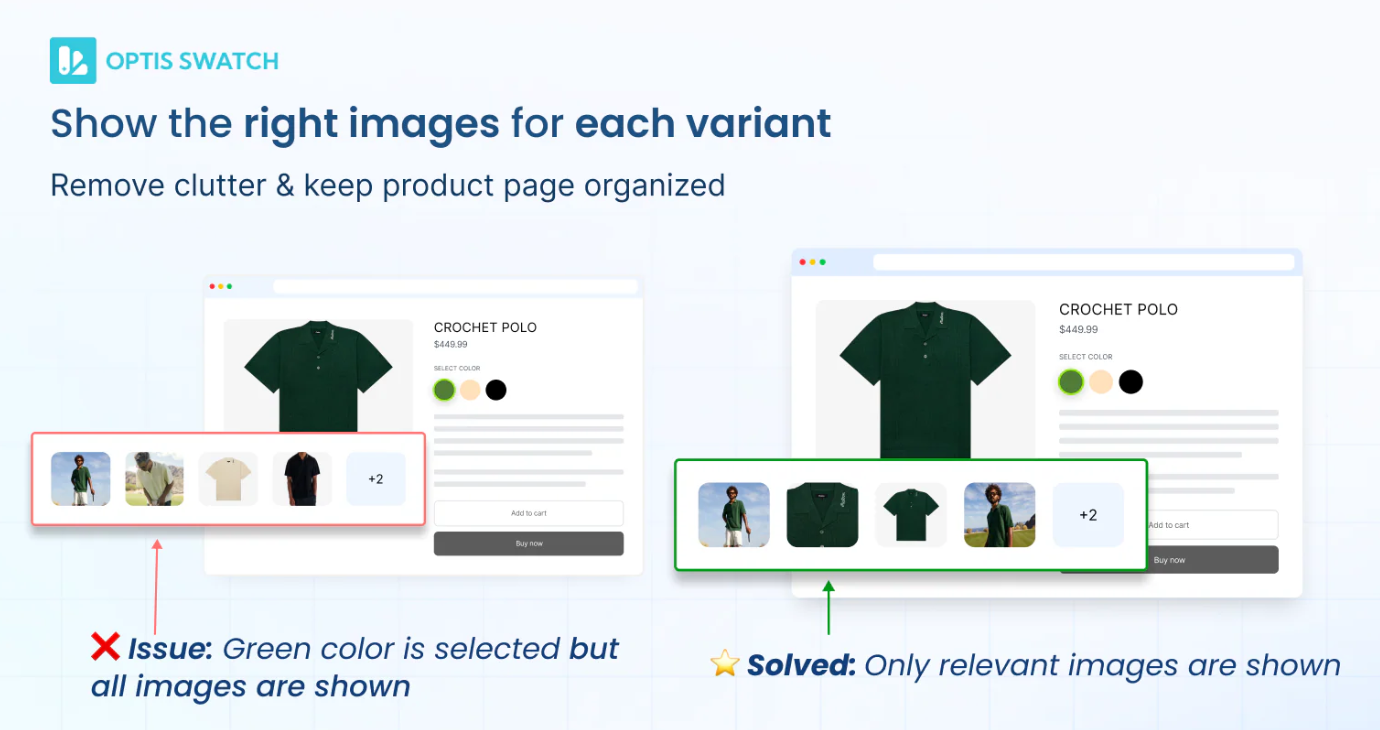
Source: OP Color Swatch Variant Images
OP Color Swatch Variant Images is designed to give you extensive control over how your product options are displayed. The app excels at offering extensive customization, allowing you to create image swatches that perfectly align with your brand's visual identity. You can adjust shapes, sizes, borders, and tooltip settings to craft a unique look. It enables you to link separate products, so they appear as swatches on a single product page, a great way to group related items. This functionality is similar to combined listings but built into the swatch system.
• Variant-Specific Image Display: Automatically shows the correct images based on the selected variant for better clarity.
• Combined Product Listings: Groups multiple products as variants to simplify navigation and improve SEO structure.
• Customizable Swatch Design: Allows full control over swatch styles, layouts, hover effects, and tooltips.
• Collection & Product Page Swatches: Displays variant swatches across both product and collection pages.
• Large Catalog Stores: Ideal for businesses managing hundreds of variants across products.
• UX-Focused Brands: Suitable for improving navigation and simplifying variant selection.
• SEO-Conscious Stores: Works well for merchants who want combined listings without harming search visibility.
OP Color Swatch Variant Images is a strong choice for stores that want to organize large variant catalogs into a more visual and user-friendly experience. It performs especially well in improving navigation and reducing confusion across product pages. However, for brands seeking a more balanced approach that combines visual swatches with deeper customization and smoother theme integration, solutions like Kefi Swatch Options can offer a more flexible, conversion-focused setup.
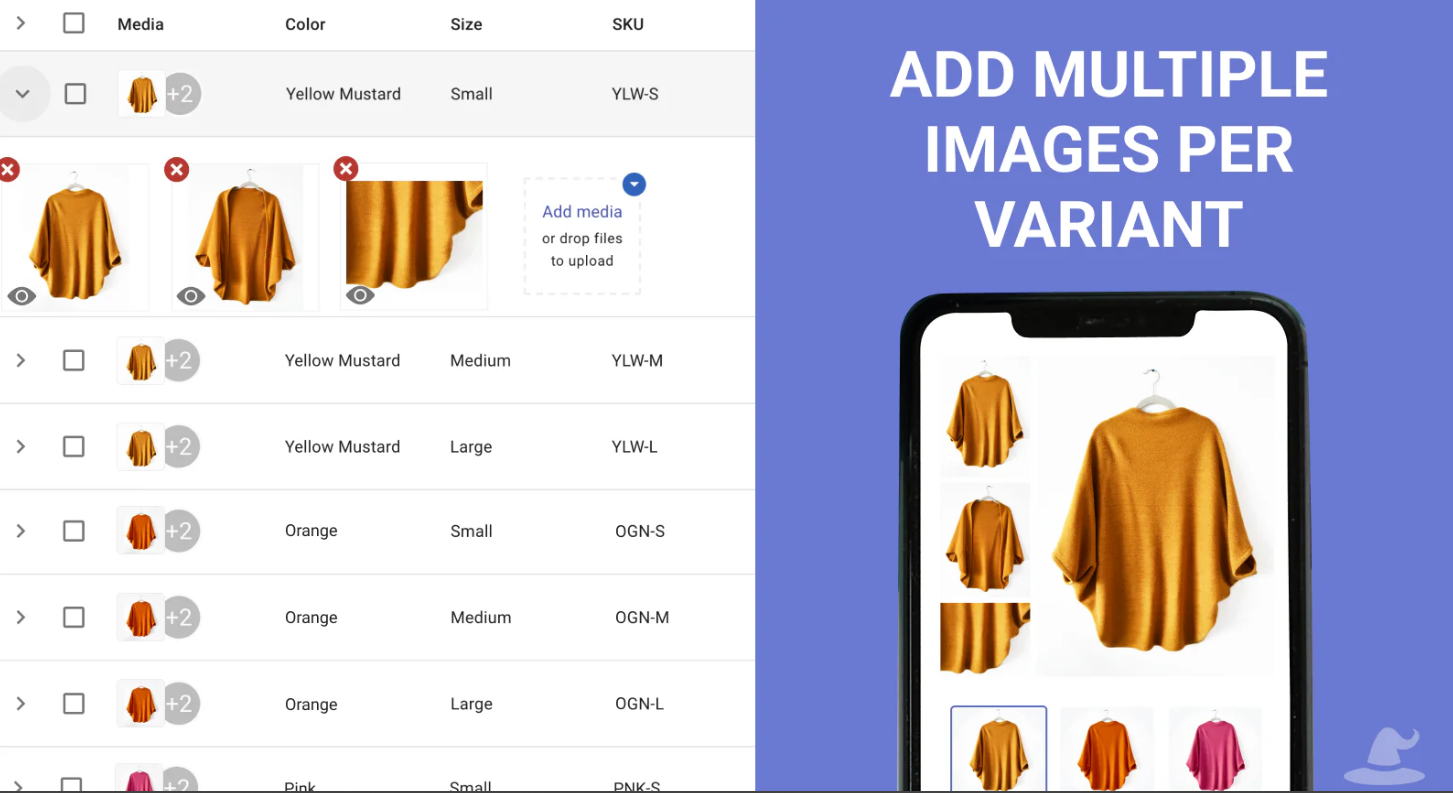
Source: Variant Image Wizard + Swatch
Variant Image Wizard is a highly customizable app that guides merchants through a step-by-step setup process, making it accessible even for those who aren't tech-savvy. This app focuses on swatch customization rather than automation. It allows you to manage multiple images for each of your product variants and even link separate products as swatches, adding flexibility beyond Shopify's native variant system. This app is best for store owners who want complete creative control over their swatch appearance and are willing to invest time in the configuration panel to get the perfect result.
• Variant-Specific Image Display: Shows only relevant images for the selected variant to improve clarity and reduce confusion.
• Advanced Swatch Configurator: Supports image swatches, color swatches, buttons, and dropdowns for flexible variant display.
• Multiple Images per Variant: Allows assigning multiple images to each variant using an easy drag-and-drop setup.
• Product Linking as Swatches: Enables grouping separate products and displaying them as swatches for better navigation.
• Visual Product Stores: Ideal for fashion, accessories, and lifestyle brands with multiple images per variant.
• UX-Focused Brands: Suitable for improving product clarity and reducing incorrect purchases.
• Growing Shopify Stores: Works well for merchants who want both swatches and variant image control in one app.
Variant Image Wizard is a reliable option for managing variant-specific images and improving product visual presentation. It does a strong job of combining swatches with image control, making product pages cleaner and more intuitive. However, for brands seeking a more modern, highly flexible swatch experience with deeper customization and smoother theme integration, solutions like Kefi Swatch Options can offer a more refined, conversion-focused setup.
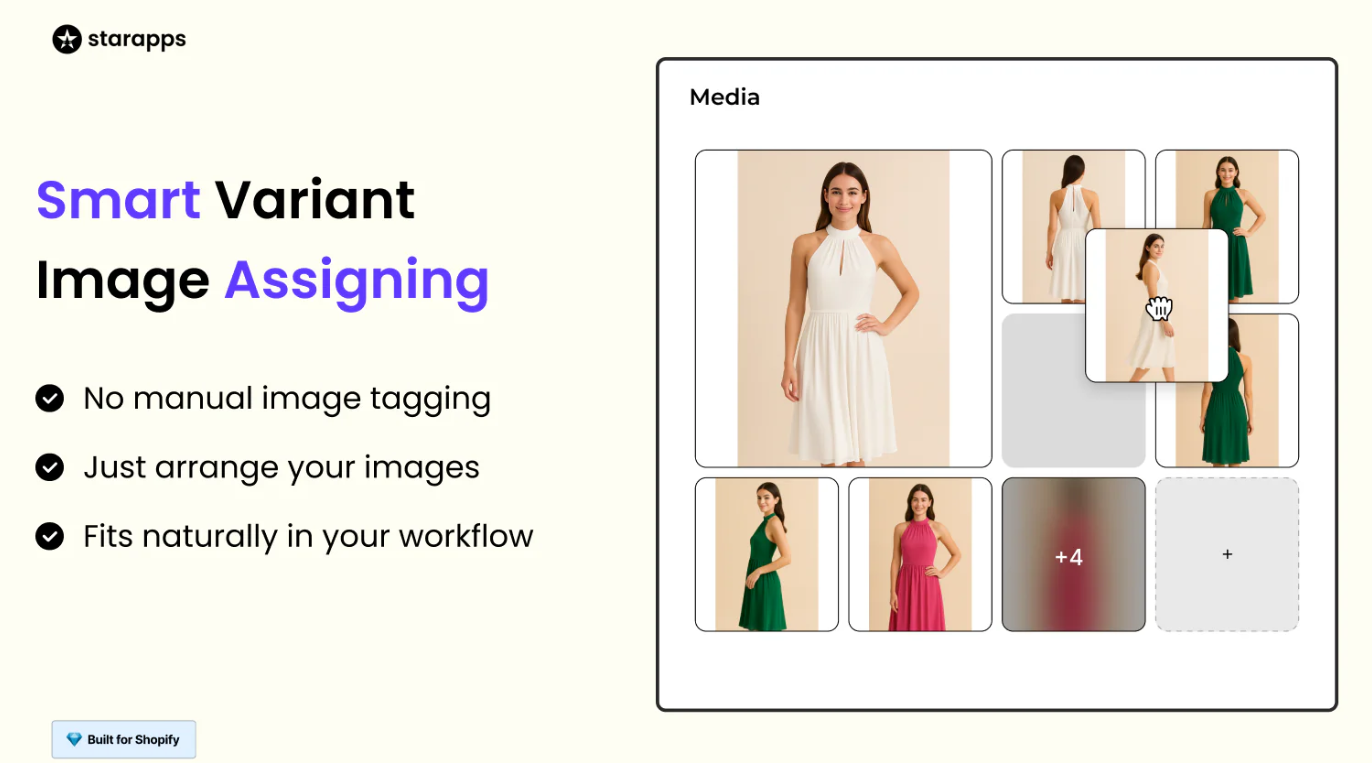
Source: SA Variant Image Automator
SA Variant Image Automator is a veteran in the Shopify app space, known for its reliability and ease of use. The app automatically groups product images for each variant by their order in the Shopify admin. This means you don't need to do any manual tagging or coding. You simply arrange your images, and the app ensures that when a customer selects a variant, only the relevant images are displayed. This app integrates directly with your theme's native gallery, preserving its layout, zoom functionality, and mobile responsiveness. This approach prevents the app from slowing down your store or clashing with your design.
• Automatic Image Assignment: Automatically groups and assigns multiple images to each variant without manual tagging.
• Variant-Specific Image Display: Shows only relevant images instantly when a variant is selected to reduce confusion.
• Theme Integration: Works smoothly with existing Shopify themes, preserving gallery layout and performance.
• Advanced Media Support: Supports color swatches, videos, 3D models, and zoom functionality for richer product display.
• High-Variant Stores: Ideal for businesses managing products with multiple images per variant.
• Time-Saving Focused Merchants: Suitable for those who want to eliminate manual image assignment.
• Conversion-Focused Brands: Works well for improving product clarity and reducing drop-offs.
SA Variant Image Automator is a strong choice for automating variant image management and keeping product galleries clean without manual effort. It excels in efficiency and ease of use, especially for stores with large image sets. However, for brands that want not just automation but also greater control over swatch design, variant presentation, and overall storefront customization, solutions like Kefi Swatch Options can provide a more flexible, conversion-focused experience.
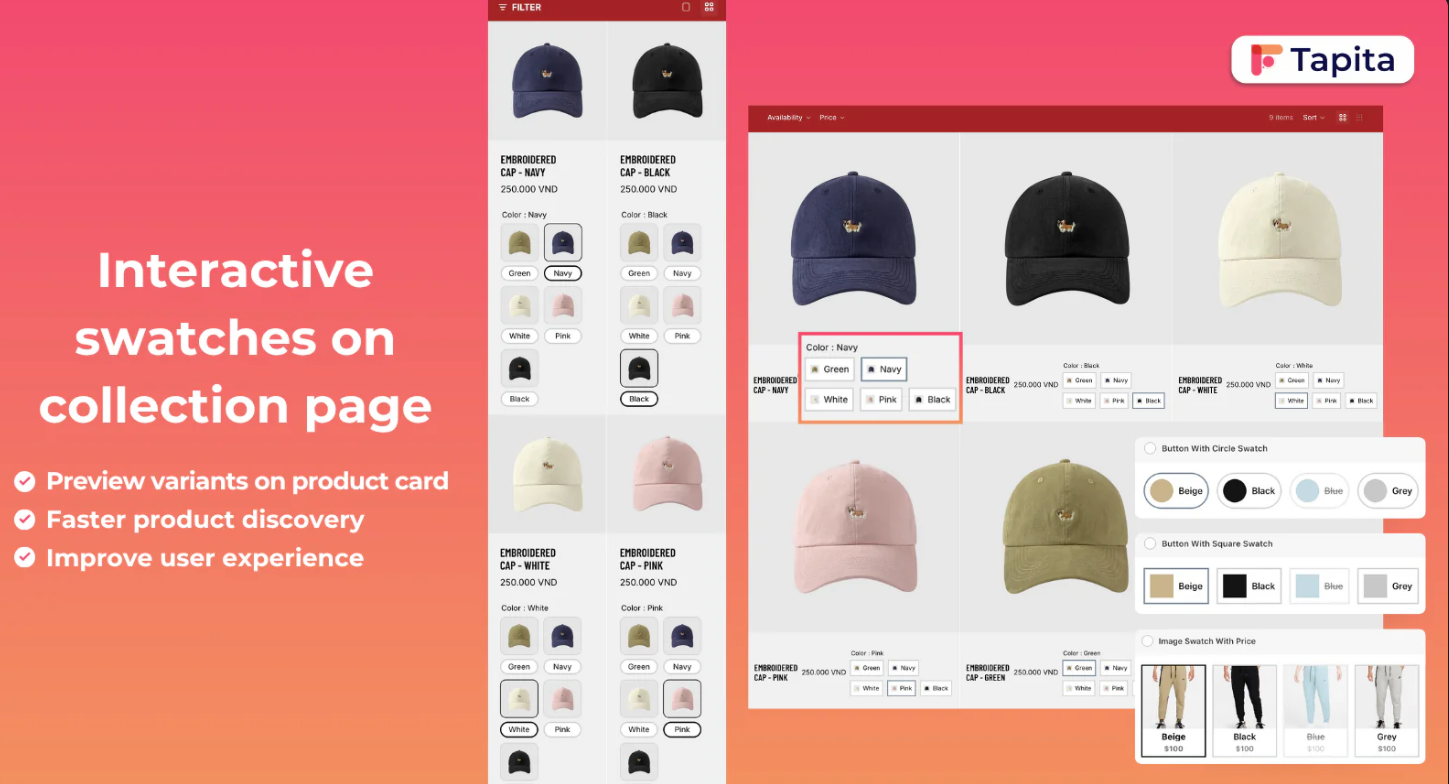
Source: G: Combined Listings & Variant
G: Combined Listings & Variant is an app that tackles a specific challenge: displaying product variants as individual listings on collection pages. While many apps focus on the product page, this one enhances discoverability by splitting variants into separate products that can be viewed, filtered, and purchased individually. This is particularly useful for SEO and improving the browsing experience. The app allows you to create combined listings where customers can see all color or style options as swatches on the collection page. This helps shoppers compare options at a glance without clicking into each product. It also supports custom product options, giving you flexibility in how you present your variants.
• Product Grouping Automation: Automatically groups related products into variants using tags or title patterns.
• Unlimited Variant Support: Bypasses Shopify’s 100-variant limit to handle large product catalogs.
• Enhanced Variant Display: Supports color swatches and custom selectors for better product presentation.
• Bulk Management Tools: Enables CSV import/export for efficient product data handling and migration.
• Large Catalog Stores: Ideal for merchants managing thousands of related products.
• SEO-Focused Brands: Suitable for improving search visibility through structured variant listings.
• Marketplace Sellers: Works well for stores syncing products across platforms like Etsy or eBay.
G: Combined Listings & Variant is a strong option for organizing large product catalogs and simplifying variant management at scale. It excels in automation and backend efficiency, making it easier to manage complex inventories. However, for brands that prioritize a more visually refined and conversion-focused swatch experience on the storefront, solutions like Kefi Swatch Options can offer greater flexibility in design, presentation, and overall customer experience.
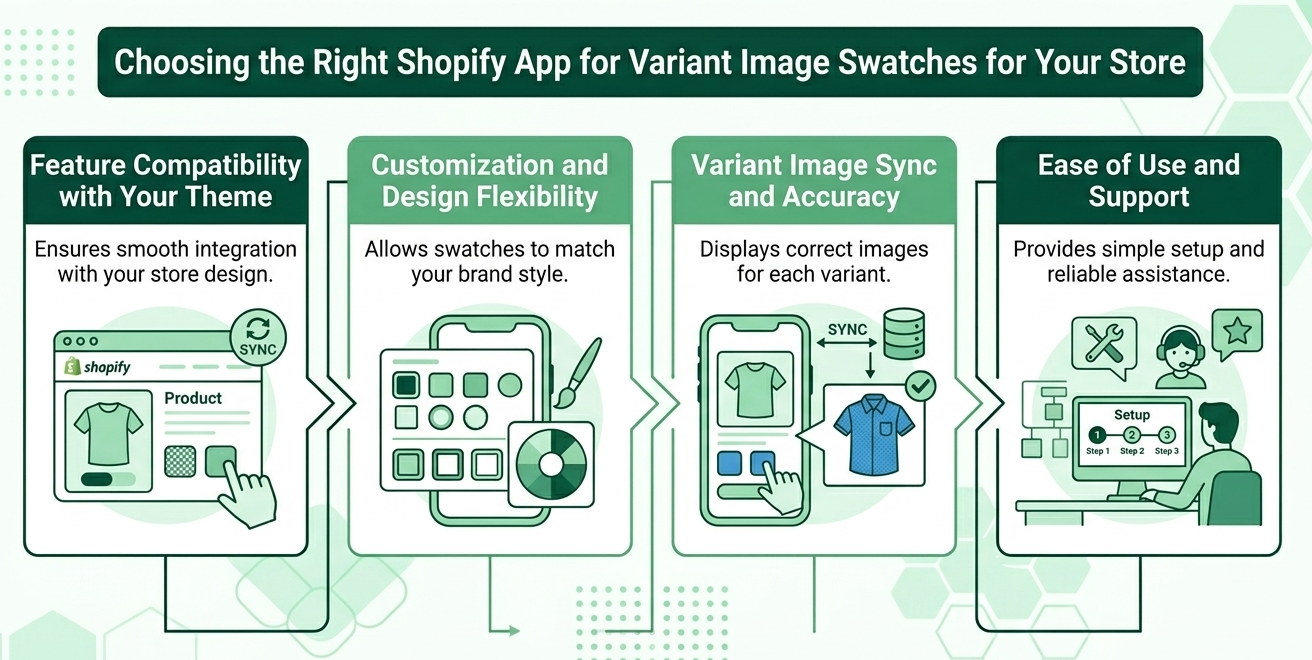
Selecting the perfect Shopify app for variant image swatches requires careful consideration of your store's unique needs. It's not just about picking the one with the most features; it's about finding the right fit for your theme, budget, and technical comfort level. You'll need to evaluate factors such as compatibility with custom themes, design flexibility, and the reliability of the image-syncing process. Don't overlook the importance of a responsive support team, as they can be invaluable during setup and troubleshooting.
Let's break down the key criteria to guide your decision.
Before choosing a Shopify variant images app, ensure it works seamlessly with your existing theme, especially if your store uses custom design elements. Compatibility issues can lead to broken layouts or inconsistent swatch behavior, directly impacting the user experience. Many of the best Shopify apps for variant images offer demo previews or free trials, allowing you to test functionality without affecting your live store. When an app integrates smoothly, as seen with solutions like Kefi Swatch Options, the swatches feel like a natural extension of your product page rather than an added layer, maintaining a clean and professional storefront.
Your variant swatches should align with your brand’s visual identity, which makes customization a key factor when selecting the right app. The best Shopify variant image gallery apps offer flexibility in how swatches are displayed, whether through color circles, image thumbnails, or text-based options. Being able to adjust size, shape, hover effects, and layout ensures consistency across your store. With apps like Kefi Swatch Options, this level of control can be achieved without overcomplicating the setup, helping you create a cohesive look where swatches enhance your product presentation rather than distract from it.
Accurate image syncing is the backbone of any reliable Shopify app for variant image automators, as it ensures customers always see the correct product variation they select. Even small delays or mismatched images can create confusion and lead to lost sales. A strong app should handle image grouping automatically while maintaining precision across all variants. When this process is handled efficiently, as with thoughtfully designed solutions like Kefi Swatch Options, the transition between variants feels instant and consistent, reinforcing trust and making the shopping experience smoother compared to a basic Shopify variant images app.
An app’s usability can significantly influence how effectively you manage your store, especially if you are not highly technical. The ideal Shopify variant images app should offer a simple setup process, a clear interface, and easy navigation for ongoing management. Alongside usability, reliable customer support is crucial for resolving issues quickly and ensuring smooth operation. Many of the best Shopify apps for variant images stand out for their responsive support teams. When paired with an intuitive solution like Kefi Swatch Options, merchants can confidently implement and manage swatches without unnecessary friction, knowing help is available when needed.
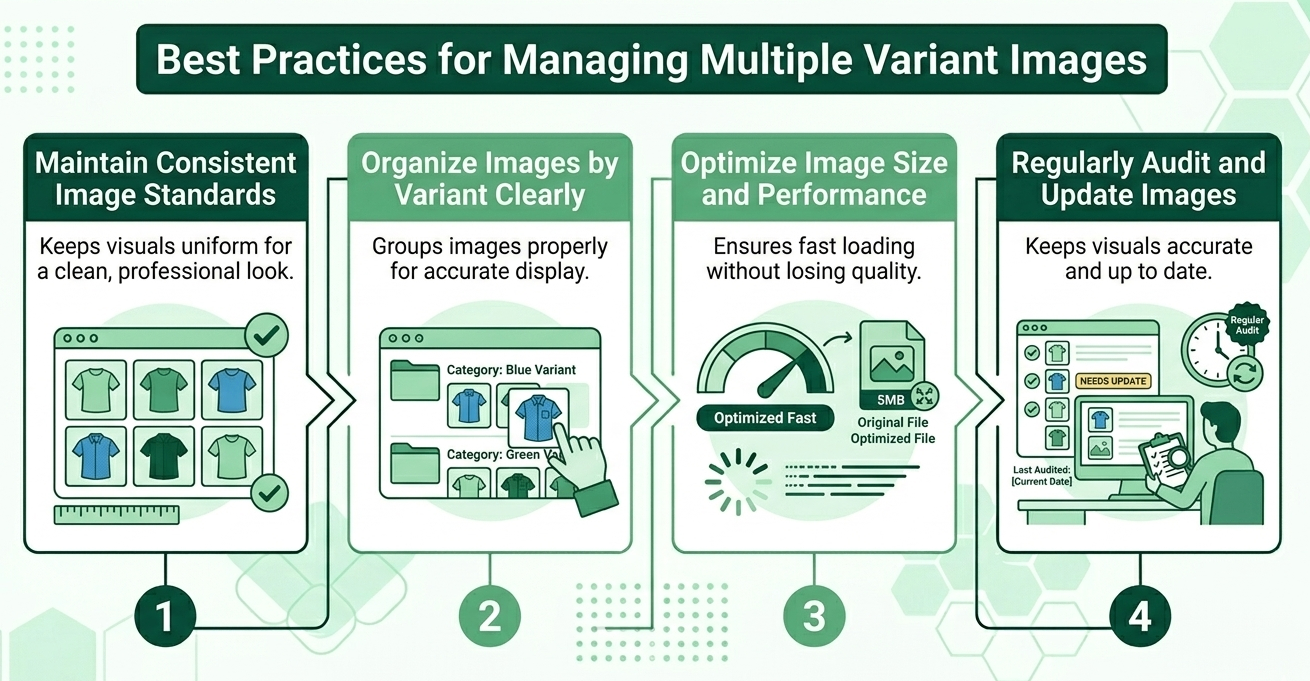
Effectively managing multiple image variants is key to maintaining a professional, user-friendly Shopify store. A streamlined image management process ensures that your product pages are not only visually appealing but also optimized for performance and search engines. This involves more than just uploading pictures; it requires a strategic approach. From establishing consistent standards for your product images to optimizing their size and using descriptive alt text, these practices will help you create a better shopping experience.
Let's explore some of the most important best practices for handling your variant images.
Consistency plays a major role in creating a professional and trustworthy storefront, especially when managing multiple variant images across products. Establishing uniform standards for lighting, background, angles, and aspect ratios ensures that every product looks cohesive and polished, which is exactly what shoppers expect from stores using the best Shopify app for variant images. When your visuals are aligned, customers can focus on comparing variants rather than being distracted by inconsistencies. Solutions like Kefi Swatch Options naturally complement this by ensuring that consistent images are accurately reflected across swatches, helping maintain both visual clarity and brand identity.
A structured approach to organizing variant images makes both backend management and frontend display far more efficient. Using a clear naming convention and grouping images logically allows you to quickly map them to the right variants, which becomes essential as your catalog grows. This is where a reliable Shopify variant images app, or even a variant image automator app, can significantly reduce manual effort by automatically associating images with the correct options. Kefi Swatch Options fits smoothly into this workflow by ensuring that once your images are organized, customers instantly see the right visuals when selecting a variant, keeping the browsing experience intuitive and error-free.
High-quality visuals are important, but they should never come at the cost of site speed. Large image files can slow down your store, affecting both user experience and conversions, especially on mobile devices. Optimizing image sizes before uploading ensures fast load times while maintaining clarity, which is a standard followed by many of the best Shopify variant image gallery apps. When paired with Kefi Swatch Options, optimized images load quickly and switch seamlessly as users interact with swatches, creating a smooth, responsive experience that keeps shoppers engaged rather than frustrated.
Managing variant images is an ongoing process, not a one-time task. Regular audits help you identify outdated visuals, inconsistent styling, or missing variant images that could impact customer trust. Keeping your catalog updated ensures that what customers see always matches what they receive, reducing confusion and returns. Many merchants using a Shopify variant images app adopt this habit to maintain quality at scale, and Kefi Swatch Options supports this by reflecting any updates instantly across your swatches. This makes it easier to keep your storefront fresh, accurate, and aligned with your evolving product lineup without disrupting the customer experience.
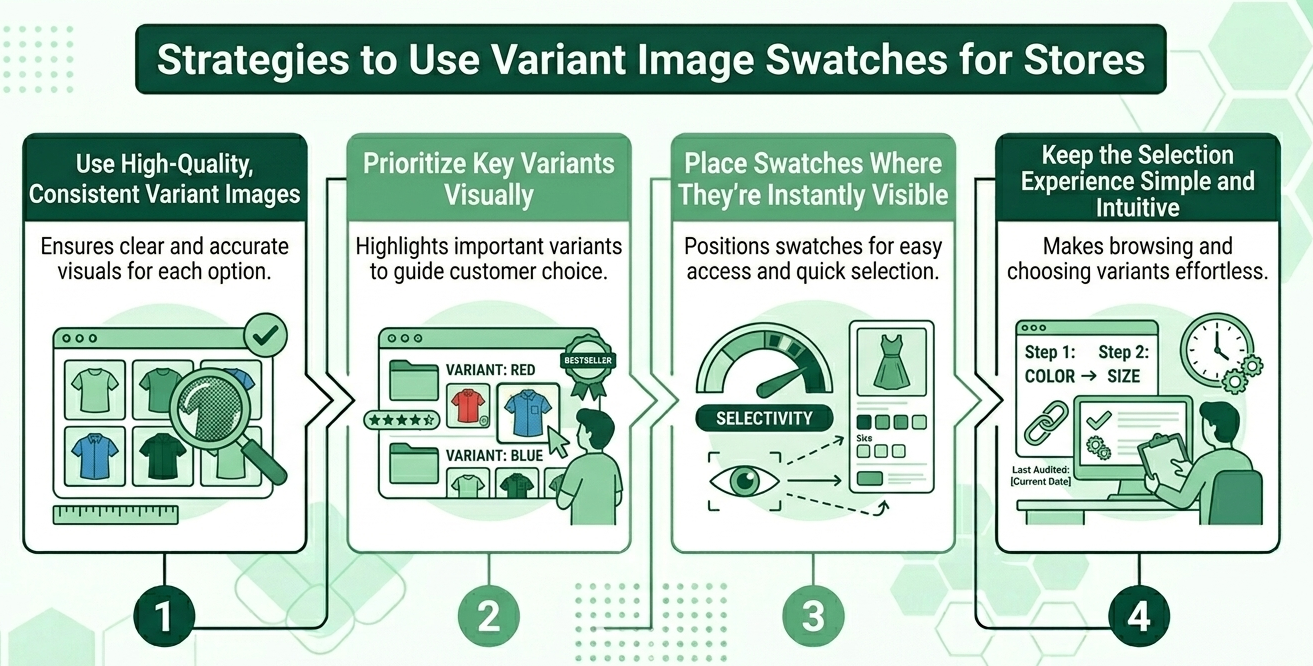
Implementing variant image swatches on your Shopify store is more than just a technical upgrade; it's a strategic move to enhance the customer shopping experience. A well-thought-out strategy will ensure that your swatches not only look good but also function effectively to guide customers and drive conversions. The goal is to make the process of exploring and selecting product options as intuitive and visually engaging as possible. By focusing on quality, placement, and simplicity, you can turn your swatches into a powerful sales tool.
Let's look at some key strategies to maximize their impact.
The effectiveness of your variant swatches depends heavily on the quality and consistency of your product images. Each swatch should connect to clear, high-resolution photos that accurately represent that specific option, especially for color variants where even slight differences matter. Maintaining the same lighting, angles, and background across all variants creates a cohesive look that builds trust and reduces confusion. Many merchants rely on the best Shopify app for variant images or a reliable Shopify variant images app to ensure images are mapped correctly. Solutions like Kefi Swatch Options fit naturally into this workflow by displaying the right visuals instantly when a variant is selected.
Not every variant needs equal attention, and a smart strategy is to highlight the ones that matter most to your business goals. Positioning best-sellers, new arrivals, or high-margin options more prominently in your swatch order can subtly guide customer choices. You can also enhance visibility with small visual cues, such as labels or borders, to draw attention without overwhelming the design. Many of the best Shopify variant image gallery apps support this prioritization, and Kefi Swatch Options lets you present these variants in a way that feels natural on your product page, helping customers gravitate toward your most important options.
Placement plays a crucial role in how effectively swatches influence purchasing decisions. Swatches should be positioned where customers naturally look when exploring a product, typically near the product title, price, and add-to-cart section. This ensures that selecting variants becomes part of a smooth, intuitive flow rather than an extra step. When paired with a well-optimized Shopify variant images app or even a variant image automator Shopify app, this placement allows images to update instantly without disrupting the browsing experience. Kefi Swatch Options supports this by ensuring seamless interaction between swatches and product images, keeping the experience fast and visually responsive.
A clean and intuitive selection process is essential for turning interest into conversions. Swatches should make it easier for customers to explore options, not complicate the journey with too many choices or unclear visuals. Using clear labels, organized layouts, and responsive image switching helps customers quickly understand what they are selecting. Many merchants turn to the best Shopify app for variant images to simplify this experience, and Kefi Swatch Options aligns with this goal by presenting variants in a straightforward, user-friendly way. When customers can easily browse and visualize their options, they feel more confident in their decisions, which naturally leads to higher engagement and conversions.
Enhancing the user experience with variant image swatches is seamless when using a tool like Kefi Swatch Options. This app is designed to transform your product pages by replacing Shopify's default dropdown menus with clean, visually engaging swatches. The immediate benefit to the user experience is clarity; customers can see all available colors or styles at a glance, making comparison effortless. Instead of clicking through a list of text names, shoppers interact directly with visual cues, which is a more intuitive way to shop for products where appearance matters.
Furthermore, Kefi Swatch Options ensures the interaction is fluid and responsive. When a user selects a swatch, the main product image gallery updates instantly to display only the images associated with that specific variant. This immediate feedback eliminates confusion and provides the shopper with confidence in their selection. The app's flexible customization lets you tailor the swatches' look and feel to match your brand, creating a cohesive, professional user experience that guides customers smoothly from browsing to buying.
Book a Demo to see how Kefi Swatch Options works.
Integrating Shopify apps that support variant image swatches can significantly enhance your online store's user experience and boost conversion rates. By improving product visualization and reducing confusion, these tools play a vital role in ensuring customers make informed purchasing decisions. As you explore the best options available, keep in mind the importance of compatibility, customization, and ease of use to find the perfect fit for your business. Regular audits and updates of your images will maintain consistency, further elevating the shopping experience. Embrace these strategies, and watch your sales potential soar. For more personalized guidance, don't hesitate to get in touch for a free consultation.
Variant image swatches make product pages more interactive and visually appealing. By allowing customers to easily click through different product options and see images change instantly, you create a more engaging user experience. This professional look builds trust and encourages shoppers to spend more time exploring your products.
Yes, a key feature of these apps is simplifying the image management process. They allow you to assign multiple product photos to each of your product variants. When a customer selects an option, the gallery updates to show only the images for the selected variant, making it easy to display variant images.
The main features of a variant image swatches app typically include automatically assigning images to variants, preserving your theme's gallery layout, and supporting multiple images per variant. These advanced features enhance Shopify's native variant system. Many, like the one from Starapps Studio, offer a free trial to test them out.
The variant image swatches app typically groups your product images by their order in the Shopify admin. It then automatically syncs these groups with your product's different variants, ensuring that when a customer selects an option on your product pages, the correct set of images is displayed.
Yes, absolutely. A variant image swatches app improves the customer experience by ensuring the product image gallery displays only relevant images for the selected variant. This clarity and responsiveness create a smooth shopping experience and eliminate the confusion of seeing all images at once.
Yes, the primary purpose of a variant image swatches app is to make it easy to set up variant-specific images. It enhances Shopify's native variant system by automatically linking your images to the corresponding product variants, saving you the time of manual assignment.
.svg)
